 Gustavo Iñiguez Goia
f032575af0
Gustavo Iñiguez Goia
f032575af0
Added option to configure multiple nfqueues.

Post with detailed information about the performance:
https://github.com/evilsocket/opensnitch/discussions/1104

After using -queues 1:6 , you need to configure the rules manually:
(for TCP)
nft insert rule inet mangle output tcp flags syn / fin,syn,rst,ack queue to numgen inc mod 6

TODO:
 - Configure queues in the fw automatically based on the queues defined.
 - Investigate if we need to use runtime.LockOSThread() in NewQueue().
 - Allow to use multiple instances of the daemon:
    * One daemon acts as the main daemon, connected to the server (UI) and
    managing the rules and notifications.
    * The other daemons only intercept and apply verdicts on packets, with
    the rules loaded from a central directory (/etc/opensnitchd/rules)

FIXME:
 - There's a deadlock repeating the packets when a connection is waiting
   for approval.
 - Investigate the high mem consumption under heavy load.




OpenSnitch is a GNU/Linux application firewall.
•• Key Features • Download • Installation • Usage examples • In the press ••
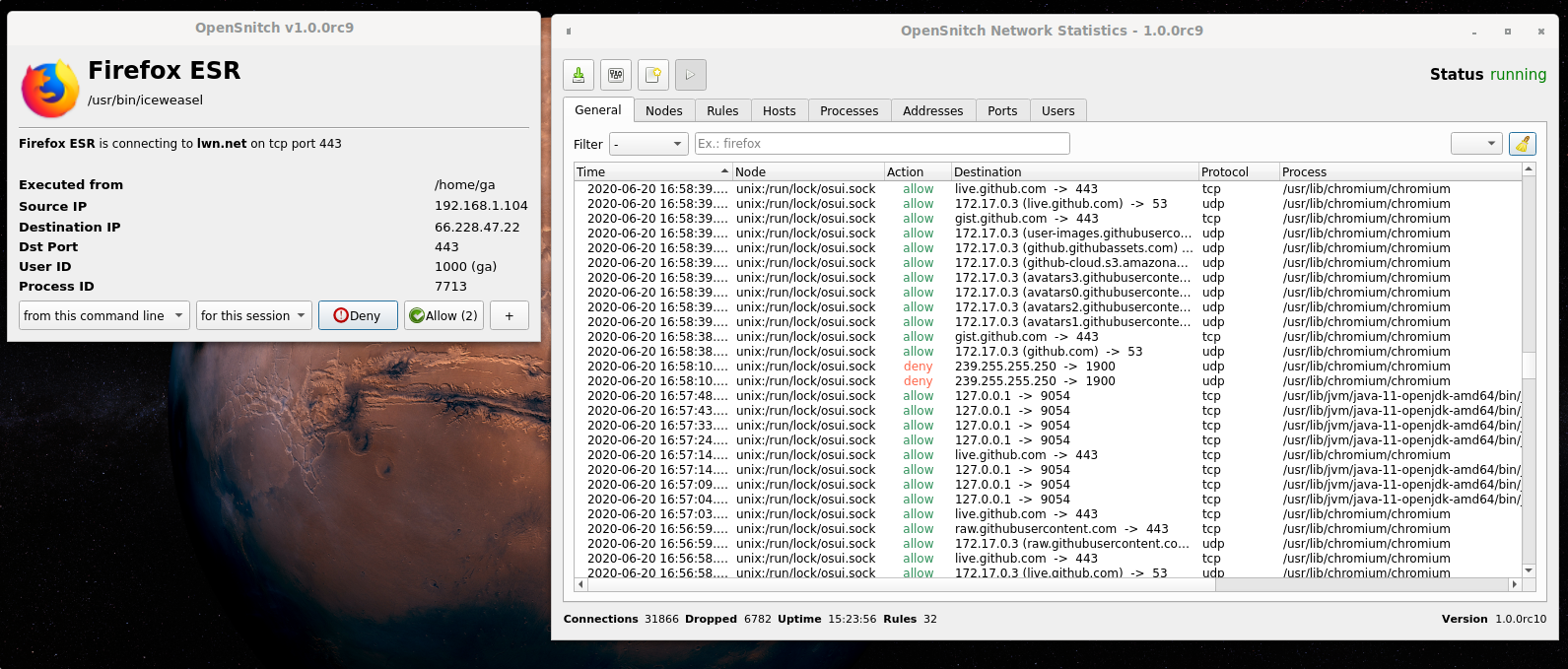
Key features
- Interactive outbound connections filtering.
- Block ads, trackers or malware domains system wide.
- Ability to configure system firewall from the GUI (nftables).
- Configure input policy, allow inbound services, etc.
- Manage multiple nodes from a centralized GUI.
- SIEM integration
Download
Download deb/rpm packages for your system from https://github.com/evilsocket/opensnitch/releases
Installation
deb
$ sudo apt install ./opensnitch*.deb ./python3-opensnitch-ui*.deb
rpm
$ sudo yum localinstall opensnitch-1*.rpm; sudo yum localinstall opensnitch-ui*.rpm
Then run: $ opensnitch-ui or launch the GUI from the Applications menu.
Please, refer to the documentation for detailed information.
OpenSnitch in action
Examples of OpenSnitch intercepting unexpected connections:
https://github.com/evilsocket/opensnitch/discussions/categories/show-and-tell
Have you seen a connection you didn't expect? submit it!
In the press
- 2017 PenTest Magazine
- 11/2019 It's Foss
- 03/2020 Linux Format #232
- 08/2020 Linux Magazine Polska #194
- 08/2021 Linux Format #280
- 02/2022 Linux User
- 06/2022 Linux Magazine #259
Donations
If you find OpenSnitch useful and want to donate to the dedicated developers, you can do it from the Sponsor this project section on the right side of this repository.
You can see here who are the current maintainers of OpenSnitch: https://github.com/evilsocket/opensnitch/commits/master
Contributors
Translating
