mirror of
https://github.com/realm/SwiftLint.git
synced 2026-05-07 20:12:49 +00:00
 Danny Mösch
1048 lines
36 KiB
Markdown
1048 lines
36 KiB
Markdown
# SwiftLint
|
||
|
||
A tool to enforce Swift style and conventions, loosely based on the now
|
||
archived [GitHub Swift Style Guide](https://github.com/github/swift-style-guide).
|
||
SwiftLint enforces the style guide rules that are generally accepted by the
|
||
Swift community. These rules are well described in popular style guides like
|
||
[Kodeco's Swift Style Guide](https://github.com/kodecocodes/swift-style-guide).
|
||
|
||
SwiftLint hooks into [Clang](http://clang.llvm.org) and
|
||
[SourceKit](http://www.jpsim.com/uncovering-sourcekit) to use the
|
||
[AST](http://clang.llvm.org/docs/IntroductionToTheClangAST.html) representation
|
||
of your source files for more accurate results.
|
||
|
||
[](https://swiftpackageindex.com/realm/SwiftLint)
|
||
[](https://swiftpackageindex.com/realm/SwiftLint)
|
||
[](https://dev.azure.com/jpsim/SwiftLint/_build/latest?definitionId=4?branchName=main)
|
||
[](https://buildkite.com/swiftlint/swiftlint)
|
||
|
||
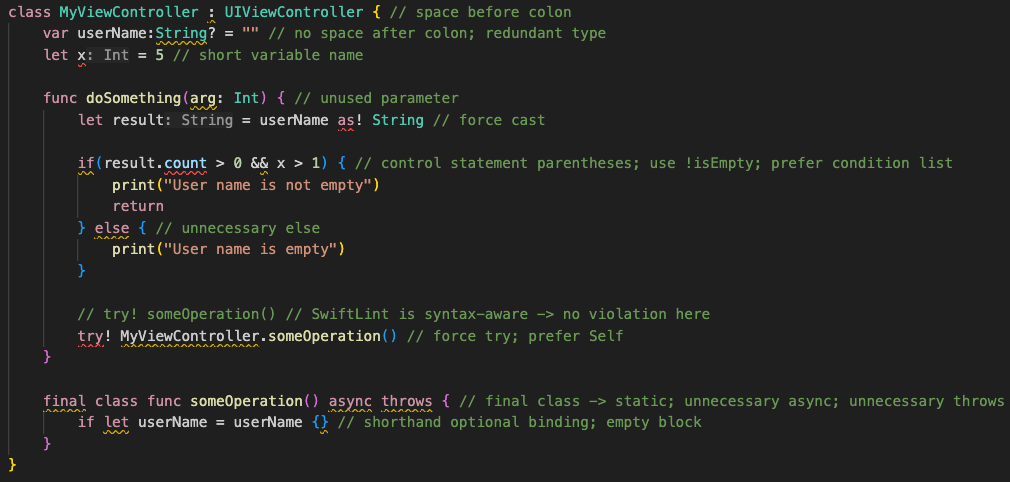
|
||
|
||
This project adheres to the
|
||
[Contributor Covenant Code of Conduct](https://realm.io/conduct).
|
||
By participating, you are expected to uphold this code.
|
||
|
||
> Switch Language:
|
||
> [中文](https://github.com/realm/SwiftLint/blob/main/README_CN.md)
|
||
> [한국어](https://github.com/realm/SwiftLint/blob/main/README_KR.md)
|
||
|
||
## Video Introduction
|
||
|
||
To get a high-level overview of SwiftLint, we encourage you to watch this
|
||
presentation recorded January 9th, 2017 by JP Simard (transcript provided):
|
||
|
||
[](https://youtu.be/9Z1nTMTejqU)
|
||
|
||
## Installation
|
||
|
||
### [Swift Package Manager](https://github.com/apple/swift-package-manager)
|
||
|
||
SwiftLint can be used as a [command plugin](#swift-package-command-plugin)
|
||
or a [build tool plugin](#build-tool-plugins).
|
||
|
||
Add
|
||
|
||
```swift
|
||
.package(url: "https://github.com/SimplyDanny/SwiftLintPlugins", from: "<version>")
|
||
```
|
||
|
||
to your `Package.swift` file to consume the latest release of SwiftLint
|
||
automatically or pin the dependency to a specific version:
|
||
|
||
```swift
|
||
.package(url: "https://github.com/SimplyDanny/SwiftLintPlugins", exact: "<version>")
|
||
```
|
||
|
||
Therein, replace `<version>` with the desired minimum or exact version.
|
||
|
||
> [!NOTE]
|
||
> Consuming the plugins directly from the SwiftLint repository comes
|
||
> with several drawbacks. To avoid them and reduce the overhead imposed, it's
|
||
> highly recommended to consume the plugins from the dedicated
|
||
> [SwiftLintPlugins repository](https://github.com/SimplyDanny/SwiftLintPlugins),
|
||
> even though plugins from the SwiftLint repository are also absolutely
|
||
> functional. If the plugins from SwiftLint are preferred, just use the URL
|
||
> `https://github.com/realm/SwiftLint` in the package declarations above.
|
||
>
|
||
> However, [SwiftLintPlugins](https://github.com/SimplyDanny/SwiftLintPlugins)
|
||
> facilitates plugin adoption massively. It lists some of the reasons that
|
||
> drive the plugins as provided by SwiftLint itself very troublesome. Since
|
||
> the plugin code and the releases are kept in sync, there is no difference
|
||
> in functionality between the two, but you spare yourself a lot of time and
|
||
> trouble using the dedicated plugins repository.
|
||
>
|
||
> This document assumes you're relying on SwiftLintPlugins.
|
||
|
||
### [Xcode Package Dependency](https://developer.apple.com/documentation/xcode/adding-package-dependencies-to-your-app)
|
||
|
||
Use the following link to add SwiftLint as a Package Dependency to an Xcode
|
||
project:
|
||
|
||
```bash
|
||
https://github.com/SimplyDanny/SwiftLintPlugins
|
||
```
|
||
|
||
### [Homebrew](http://brew.sh)
|
||
|
||
```bash
|
||
brew install swiftlint
|
||
```
|
||
|
||
### [CocoaPods](https://cocoapods.org)
|
||
|
||
Add the following to your `Podfile`:
|
||
|
||
```ruby
|
||
pod 'SwiftLint'
|
||
```
|
||
|
||
This will download the SwiftLint binaries and dependencies in `Pods/` during
|
||
your next `pod install` execution and will allow you to invoke it via
|
||
`${PODS_ROOT}/SwiftLint/swiftlint` in your Script Build Phases.
|
||
|
||
Installing via Cocoapods also enables pinning to a specific version of
|
||
SwiftLint rather than simply the latest (which is the case with
|
||
[Homebrew](#homebrew)).
|
||
|
||
Note that this will add the SwiftLint binaries, its dependencies' binaries, and
|
||
the Swift binary library distribution to the `Pods/` directory, so checking in
|
||
this directory to SCM such as Git is discouraged.
|
||
|
||
### [Mint](https://github.com/yonaskolb/mint)
|
||
|
||
```bash
|
||
mint install realm/SwiftLint
|
||
```
|
||
|
||
### [Bazel](https://bazel.build)
|
||
|
||
Put this in your `MODULE.bazel`:
|
||
|
||
```bzl
|
||
bazel_dep(name = "swiftlint", version = "0.52.4", repo_name = "SwiftLint")
|
||
```
|
||
|
||
Or put this in your `WORKSPACE`:
|
||
|
||
<details>
|
||
|
||
<summary>WORKSPACE</summary>
|
||
|
||
```bzl
|
||
load("@bazel_tools//tools/build_defs/repo:http.bzl", "http_archive")
|
||
|
||
http_archive(
|
||
name = "build_bazel_rules_apple",
|
||
sha256 = "390841dd5f8a85fc25776684f4793d56e21b098dfd7243cd145b9831e6ef8be6",
|
||
url = "https://github.com/bazelbuild/rules_apple/releases/download/2.4.1/rules_apple.2.4.1.tar.gz",
|
||
)
|
||
|
||
load(
|
||
"@build_bazel_rules_apple//apple:repositories.bzl",
|
||
"apple_rules_dependencies",
|
||
)
|
||
|
||
apple_rules_dependencies()
|
||
|
||
load(
|
||
"@build_bazel_rules_swift//swift:repositories.bzl",
|
||
"swift_rules_dependencies",
|
||
)
|
||
|
||
swift_rules_dependencies()
|
||
|
||
load(
|
||
"@build_bazel_rules_swift//swift:extras.bzl",
|
||
"swift_rules_extra_dependencies",
|
||
)
|
||
|
||
swift_rules_extra_dependencies()
|
||
|
||
http_archive(
|
||
name = "SwiftLint",
|
||
sha256 = "c6ea58b9c72082cdc1ada4a2d48273ecc355896ed72204cedcc586b6ccb8aca6",
|
||
url = "https://github.com/realm/SwiftLint/releases/download/0.52.4/bazel.tar.gz",
|
||
)
|
||
|
||
load("@SwiftLint//bazel:repos.bzl", "swiftlint_repos")
|
||
|
||
swiftlint_repos()
|
||
|
||
load("@SwiftLint//bazel:deps.bzl", "swiftlint_deps")
|
||
|
||
swiftlint_deps()
|
||
```
|
||
|
||
</details>
|
||
|
||
Then you can run SwiftLint in the current directory with this command:
|
||
|
||
```console
|
||
bazel run -c opt @SwiftLint//:swiftlint
|
||
```
|
||
|
||
### Pre-Built Package
|
||
|
||
Download `SwiftLint.pkg` from the
|
||
[latest GitHub release](https://github.com/realm/SwiftLint/releases/latest) and
|
||
run it.
|
||
|
||
### From Source
|
||
|
||
Make sure the build tool [Bazel](https://bazel.build) and a
|
||
recent [Swift toolchain](https://www.swift.org/download/) are
|
||
installed and all tools are discoverable in your `PATH`.
|
||
|
||
To build SwiftLint, clone this repository and run `make install`.
|
||
|
||
## Setup
|
||
|
||
> [!IMPORTANT]
|
||
> While it may seem intuitive to run SwiftLint before compiling Swift source
|
||
> files to exit a build early when there are lint violations, it is important
|
||
> to understand that SwiftLint is designed to analyze valid source code that
|
||
> is compilable. Non-compiling code can very easily lead to unexpected and
|
||
> confusing results, especially when executing with `--fix`/`--autocorrect`
|
||
> command line arguments.
|
||
|
||
### Build Tool Plugins
|
||
|
||
SwiftLint can be used as a build tool plugin for both
|
||
[Swift Package projects](#swift-package-projects)
|
||
and [Xcode projects](#xcode-projects).
|
||
|
||
The build tool plugin determines the SwiftLint working directory by locating
|
||
the topmost config file within the package/project directory. If a config file
|
||
is not found therein, the package/project directory is used as the working
|
||
directory.
|
||
|
||
The plugin throws an error when it is unable to resolve the SwiftLint working
|
||
directory. For example, this will occur in Xcode projects where the target's
|
||
Swift files are not located within the project directory.
|
||
|
||
To maximize compatibility with the plugin, avoid project structures that require
|
||
the use of the `--config` option.
|
||
|
||
### Swift Package Projects
|
||
|
||
> [!NOTE]
|
||
> Requires installing via [Swift Package Manager](#swift-package-manager).
|
||
|
||
Build tool plugins run when building each target. When a project has multiple
|
||
targets, the plugin must be added to the desired targets individually.
|
||
|
||
To do this, add the plugin to the target(s) to be linted as follows:
|
||
|
||
```swift
|
||
.target(
|
||
...
|
||
plugins: [.plugin(name: "SwiftLintBuildToolPlugin", package: "SwiftLintPlugins")]
|
||
),
|
||
```
|
||
|
||
### Swift Package Command Plugin
|
||
|
||
> [!NOTE]
|
||
> Requires installing via [Swift Package Manager](#swift-package-manager).
|
||
|
||
The command plugin enables running SwiftLint from the command line as follows:
|
||
|
||
```shell
|
||
swift package plugin swiftlint
|
||
```
|
||
|
||
### Xcode Projects
|
||
|
||
> [!NOTE]
|
||
> Requires installing via [Xcode Package Dependency](#xcode-package-dependency).
|
||
|
||
Build tool plugins run as a build phase of each target. When a project has
|
||
multiple targets, the plugin must be added to the desired targets individually.
|
||
|
||
To do this, add the `SwiftLintBuildToolPlugin` to the `Run Build Tool Plug-ins`
|
||
phase of the `Build Phases` for the target(s) to be linted.
|
||
|
||
> [!TIP]
|
||
> When using the plugin for the first time, be sure to trust and enable
|
||
> it when prompted. If a macros build warning exists, select it to trust
|
||
> and enable the macros as well.
|
||
|
||
For unattended use (e.g. on CI), package plugin and macro
|
||
validations can be disabled with either of the following:
|
||
|
||
* Using `xcodebuild` options:
|
||
|
||
```bash
|
||
-skipPackagePluginValidation
|
||
-skipMacroValidation
|
||
```
|
||
|
||
* Setting Xcode defaults:
|
||
|
||
```bash
|
||
defaults write com.apple.dt.Xcode IDESkipPackagePluginFingerprintValidatation -bool YES
|
||
defaults write com.apple.dt.Xcode IDESkipMacroFingerprintValidation -bool YES
|
||
```
|
||
|
||
> [!IMPORTANT]
|
||
> The unattended use options bypass Xcode's validation dialogs
|
||
> and implicitly trust all plugins and macros, which has security implications.
|
||
|
||
#### Unexpected Xcode Project Structures
|
||
|
||
Project structures where SwiftLint's configuration file is located
|
||
outside of the package/project directory are not directly supported
|
||
by the build tool plugin. This is because it isn't possible to pass
|
||
arguments to build tool plugins (e.g., passing the config file path).
|
||
|
||
If your project structure doesn't work directly with the build tool
|
||
plugin, please consider one of the following options:
|
||
|
||
* To use a config file located outside the package/project directory, a config
|
||
file may be added to that directory specifying a parent config path to the
|
||
other config file, e.g., `parent_config: path/to/.swiftlint.yml`.
|
||
* You can also consider the use of a
|
||
[Run Script Build Phase](#xcode-run-script-build-phase) in place of the build
|
||
tool plugin.
|
||
|
||
### Xcode Run Script Build Phase
|
||
|
||
> [!NOTE]
|
||
> Based upon the installation method used, the shell command syntax in the
|
||
> Run Script Build Phase may be different or additional configuration could
|
||
> be required. Refer to the [installation](#installation) instructions for
|
||
> more information.
|
||
|
||
If the build tool plugin does not work for your project setup or when
|
||
additional custom setup is required, SwiftLint can be added as a Run Script
|
||
Build Phase. This is useful when a project setup relies on the `--config`
|
||
SwiftLint option; or to lint all targets together in a single `swiftlint`
|
||
invocation. File inclusions and exclusions can be configured in the
|
||
[`.swiftlint.yml` configuration](#configuration).
|
||
|
||
To do this, add a custom script to a `Run Script` phase of the `Build Phases`
|
||
of the primary app target, after the `Compile Sources` phase. Use the
|
||
following script implementation:
|
||
|
||
```bash
|
||
if command -v swiftlint >/dev/null 2>&1
|
||
then
|
||
swiftlint
|
||
else
|
||
echo "warning: `swiftlint` command not found - See https://github.com/realm/SwiftLint#installation for installation instructions."
|
||
fi
|
||
```
|
||
|
||
If you're using the SwiftLintPlugin in a Swift package,
|
||
you may refer to the `swiftlint` executable in the
|
||
following way:
|
||
|
||
```bash
|
||
SWIFT_PACKAGE_DIR="${BUILD_DIR%Build/*}SourcePackages/artifacts"
|
||
SWIFTLINT_CMD=$(ls "$SWIFT_PACKAGE_DIR"/swiftlintplugins/SwiftLintBinary/SwiftLintBinary.artifactbundle/swiftlint-*-macos/bin/swiftlint | head -n 1)
|
||
|
||
if test -f "$SWIFTLINT_CMD" 2>&1
|
||
then
|
||
"$SWIFTLINT_CMD"
|
||
else
|
||
echo "warning: `swiftlint` command not found - See https://github.com/realm/SwiftLint#installation for installation instructions."
|
||
fi
|
||
```
|
||
|
||
> [!NOTE]
|
||
> The `SWIFTLINT_CMD` path uses the default Xcode configuration and has been
|
||
> tested on Xcode 15/16. In case of another configuration (e.g. a custom
|
||
> Swift package path), please adapt the values accordingly.
|
||
<!-- markdownlint-disable MD028 -->
|
||
> [!TIP]
|
||
> Uncheck `Based on dependency analysis` to run `swiftlint` on all incremental
|
||
> builds, suppressing the unspecified outputs warning.
|
||
|
||
#### Consideration for Xcode 15.0
|
||
|
||
Xcode 15 made a significant change by setting the default value of the
|
||
`ENABLE_USER_SCRIPT_SANDBOXING` build setting from `NO` to `YES`.
|
||
As a result, SwiftLint encounters an error related to missing file permissions,
|
||
which typically manifests as
|
||
`error: Sandbox: swiftlint(19427) deny(1) file-read-data.`
|
||
|
||
To resolve this issue, it is necessary to manually set the
|
||
`ENABLE_USER_SCRIPT_SANDBOXING` setting to `NO` for the specific target that
|
||
SwiftLint is being configured for.
|
||
|
||
#### Consideration for Apple Silicon
|
||
|
||
If you installed SwiftLint via Homebrew on Apple Silicon, you might experience
|
||
this warning:
|
||
|
||
```bash
|
||
warning: SwiftLint not installed, download from https://github.com/realm/SwiftLint
|
||
```
|
||
|
||
That is because Homebrew on Apple Silicon installs the binaries into the
|
||
`/opt/homebrew/bin` folder by default. To instruct Xcode where to find
|
||
SwiftLint, you can either add `/opt/homebrew/bin` to the `PATH` environment
|
||
variable in your build phase:
|
||
|
||
```bash
|
||
if [[ "$(uname -m)" == arm64 ]]
|
||
then
|
||
export PATH="/opt/homebrew/bin:$PATH"
|
||
fi
|
||
|
||
if command -v swiftlint >/dev/null 2>&1
|
||
then
|
||
swiftlint
|
||
else
|
||
echo "warning: `swiftlint` command not found - See https://github.com/realm/SwiftLint#installation for installation instructions."
|
||
fi
|
||
```
|
||
|
||
or you can create a symbolic link in `/usr/local/bin` pointing to the actual
|
||
binary:
|
||
|
||
```bash
|
||
ln -s /opt/homebrew/bin/swiftlint /usr/local/bin/swiftlint
|
||
```
|
||
|
||
#### Additional Considerations
|
||
|
||
If you wish to fix violations as well, your script could run
|
||
`swiftlint --fix && swiftlint` instead of just `swiftlint`. This will mean
|
||
that all correctable violations are fixed while ensuring warnings show up in
|
||
your project for remaining violations.
|
||
|
||
If you've installed SwiftLint via CocoaPods the script should look like this:
|
||
|
||
```bash
|
||
"${PODS_ROOT}/SwiftLint/swiftlint"
|
||
```
|
||
|
||
### Visual Studio Code
|
||
|
||
To integrate SwiftLint with [Visual Studio Code](https://code.visualstudio.com), install the
|
||
[`vscode-swiftlint`](https://marketplace.visualstudio.com/items?itemName=vknabel.vscode-swiftlint)
|
||
extension from the marketplace.
|
||
|
||
### Fastlane
|
||
|
||
You can use the official
|
||
[`swiftlint` fastlane action](https://docs.fastlane.tools/actions/swiftlint)
|
||
to run SwiftLint as part of your fastlane process.
|
||
|
||
```ruby
|
||
swiftlint(
|
||
mode: :lint, # SwiftLint mode: :lint (default) or :autocorrect
|
||
executable: "Pods/SwiftLint/swiftlint", # The SwiftLint binary path (optional). Important if you've installed it via CocoaPods
|
||
path: "/path/to/lint", # Specify path to lint (optional)
|
||
output_file: "swiftlint.result.json", # The path of the output file (optional)
|
||
reporter: "json", # The custom reporter to use (optional)
|
||
config_file: ".swiftlint-ci.yml", # The path of the configuration file (optional)
|
||
files: [ # List of files to process (optional)
|
||
"AppDelegate.swift",
|
||
"path/to/project/Model.swift"
|
||
],
|
||
ignore_exit_status: true, # Allow fastlane to continue even if SwiftLint returns a non-zero exit status (Default: false)
|
||
quiet: true, # Don't print status logs like 'Linting ' & 'Done linting' (Default: false)
|
||
strict: true # Fail on warnings? (Default: false)
|
||
)
|
||
```
|
||
|
||
### Docker
|
||
|
||
SwiftLint is also available as a [Docker](https://www.docker.com/) image using
|
||
`Ubuntu`. So just the first time you need to pull the docker image using the
|
||
next command:
|
||
|
||
```bash
|
||
docker pull ghcr.io/realm/swiftlint:latest
|
||
```
|
||
|
||
Then following times, you just run `swiftlint` inside of the docker like:
|
||
|
||
```bash
|
||
docker run -it -v `pwd`:`pwd` -w `pwd` ghcr.io/realm/swiftlint:latest
|
||
```
|
||
|
||
This will execute `swiftlint` in the folder where you are right now (`pwd`),
|
||
showing an output like:
|
||
|
||
```bash
|
||
$ docker run -it -v `pwd`:`pwd` -w `pwd` ghcr.io/realm/swiftlint:latest
|
||
Linting Swift files in current working directory
|
||
Linting 'RuleDocumentation.swift' (1/490)
|
||
...
|
||
Linting 'YamlSwiftLintTests.swift' (490/490)
|
||
Done linting! Found 0 violations, 0 serious in 490 files.
|
||
```
|
||
|
||
Here you have more documentation about the usage of
|
||
[Docker Images](https://docs.docker.com/).
|
||
|
||
## Command Line Usage
|
||
|
||
```txt
|
||
$ swiftlint help
|
||
OVERVIEW: A tool to enforce Swift style and conventions.
|
||
|
||
USAGE: swiftlint <subcommand>
|
||
|
||
OPTIONS:
|
||
--version Show the version.
|
||
-h, --help Show help information.
|
||
|
||
SUBCOMMANDS:
|
||
analyze Run analysis rules
|
||
docs Open SwiftLint documentation website in the default web browser
|
||
generate-docs Generates markdown documentation for selected group of rules
|
||
lint (default) Print lint warnings and errors
|
||
baseline Operations on existing baselines
|
||
reporters Display the list of reporters and their identifiers
|
||
rules Display the list of rules and their identifiers
|
||
version Display the current version of SwiftLint
|
||
|
||
See 'swiftlint help <subcommand>' for detailed help.
|
||
```
|
||
|
||
Run `swiftlint` in the directory containing the Swift files to lint. Directories
|
||
will be searched recursively.
|
||
|
||
To specify a list of files when using `lint` or `analyze`
|
||
(like the list of files modified by Xcode specified by the
|
||
[`ExtraBuildPhase`](https://github.com/norio-nomura/ExtraBuildPhase) Xcode
|
||
plugin, or modified files in the working tree based on `git ls-files -m`), you
|
||
can do so by passing the option `--use-script-input-files` and setting the
|
||
following instance variables: `SCRIPT_INPUT_FILE_COUNT`
|
||
and `SCRIPT_INPUT_FILE_0`, `SCRIPT_INPUT_FILE_1`, ...,
|
||
`SCRIPT_INPUT_FILE_{SCRIPT_INPUT_FILE_COUNT - 1}`.
|
||
Similarly, files can be read from file lists by passing
|
||
the option `--use-script-input-file-lists` and setting the
|
||
following instance variables: `SCRIPT_INPUT_FILE_LIST_COUNT`
|
||
and `SCRIPT_INPUT_FILE_LIST_0`, `SCRIPT_INPUT_FILE_LIST_1`, ...,
|
||
`SCRIPT_INPUT_FILE_LIST_{SCRIPT_INPUT_FILE_LIST_COUNT - 1}`.
|
||
|
||
These are same environment variables set for input files to
|
||
[custom Xcode script phases](http://indiestack.com/2014/12/speeding-up-custom-script-phases/).
|
||
|
||
## Working With Multiple Swift Versions
|
||
|
||
SwiftLint hooks into SourceKit so it continues working even as Swift evolves!
|
||
|
||
This also keeps SwiftLint lean, as it doesn't need to ship with a full Swift
|
||
compiler, it just communicates with the official one you already have installed
|
||
on your machine.
|
||
|
||
You should always run SwiftLint with the same toolchain you use to compile your
|
||
code.
|
||
|
||
You may want to override SwiftLint's default Swift toolchain if you have
|
||
multiple toolchains or Xcodes installed.
|
||
|
||
Here's the order in which SwiftLint determines which Swift toolchain to use:
|
||
|
||
* `$XCODE_DEFAULT_TOOLCHAIN_OVERRIDE`
|
||
* `$TOOLCHAIN_DIR` or `$TOOLCHAINS`
|
||
* `xcrun -find swift`
|
||
* `/Applications/Xcode.app/Contents/Developer/Toolchains/XcodeDefault.xctoolchain`
|
||
* `/Applications/Xcode-beta.app/Contents/Developer/Toolchains/XcodeDefault.xctoolchain`
|
||
* `~/Applications/Xcode.app/Contents/Developer/Toolchains/XcodeDefault.xctoolchain`
|
||
* `~/Applications/Xcode-beta.app/Contents/Developer/Toolchains/XcodeDefault.xctoolchain`
|
||
|
||
`sourcekitd.framework` is expected to be found in the `usr/lib/` subdirectory of
|
||
the value passed in the paths above.
|
||
|
||
You may also set the `TOOLCHAINS` environment variable to the reverse-DNS
|
||
notation that identifies a Swift toolchain version:
|
||
|
||
```shell
|
||
TOOLCHAINS=com.apple.dt.toolchain.Swift_2_3 swiftlint --fix
|
||
```
|
||
|
||
On Linux, SourceKit is expected to be located in
|
||
`/usr/lib/libsourcekitdInProc.so` or specified by the `LINUX_SOURCEKIT_LIB_PATH`
|
||
environment variable.
|
||
|
||
## Git `pre-commit` Hook
|
||
|
||
SwiftLint can be run as a [pre-commit](https://pre-commit.com/) hook.
|
||
Once [installed](https://pre-commit.com/#install), add this to the
|
||
`.pre-commit-config.yaml` in the root of your repository:
|
||
|
||
```yaml
|
||
repos:
|
||
- repo: https://github.com/realm/SwiftLint
|
||
rev: 0.57.1
|
||
hooks:
|
||
- id: swiftlint
|
||
```
|
||
|
||
Adjust `rev` to the SwiftLint version of your choice. `pre-commit autoupdate`
|
||
can be used to update to the current version.
|
||
|
||
SwiftLint can be configured using `entry` to apply fixes and fail on errors:
|
||
|
||
```yaml
|
||
- repo: https://github.com/realm/SwiftLint
|
||
rev: 0.57.1
|
||
hooks:
|
||
- id: swiftlint
|
||
entry: swiftlint --fix --strict
|
||
```
|
||
|
||
## Rules
|
||
|
||
Over 200 rules are included in SwiftLint and the Swift community (that's you!)
|
||
continues to contribute more over time.
|
||
[Pull requests](https://github.com/realm/SwiftLint/blob/main/CONTRIBUTING.md)
|
||
are encouraged.
|
||
|
||
You can find an updated list of rules and more information about them in the
|
||
[Rule Directory](https://realm.github.io/SwiftLint/rule-directory.html).
|
||
|
||
You can also check the
|
||
[Source/SwiftLintBuiltInRules/Rules](https://github.com/realm/SwiftLint/tree/main/Source/SwiftLintBuiltInRules/Rules)
|
||
directory to see their implementation.
|
||
|
||
### Opt-In Rules
|
||
|
||
`opt_in_rules` are disabled by default (i.e., you have to explicitly enable them
|
||
in your configuration file).
|
||
|
||
Guidelines on when to mark a rule as opt-in:
|
||
|
||
* A rule that can have many false positives (e.g. `empty_count`)
|
||
* A rule that is too slow
|
||
* A rule that is not general consensus or is only useful in some cases
|
||
(e.g. `force_unwrapping`)
|
||
|
||
### Disable rules in code
|
||
|
||
Rules can be disabled with a comment inside a source file with the following
|
||
format:
|
||
|
||
`// swiftlint:disable <rule1> [<rule2> <rule3>...]`
|
||
|
||
The rules will be disabled until the end of the file or until the linter sees a
|
||
matching enable comment:
|
||
|
||
`// swiftlint:enable <rule1> [<rule2> <rule3>...]`
|
||
|
||
For example:
|
||
|
||
```swift
|
||
// swiftlint:disable colon
|
||
let noWarning :String = "" // No warning about colons immediately after variable names!
|
||
// swiftlint:enable colon
|
||
let hasWarning :String = "" // Warning generated about colons immediately after variable names
|
||
```
|
||
|
||
Including the `all` keyword will disable all rules until the linter sees a
|
||
matching enable comment:
|
||
|
||
`// swiftlint:disable all`
|
||
`// swiftlint:enable all`
|
||
|
||
For example:
|
||
|
||
```swift
|
||
// swiftlint:disable all
|
||
let noWarning :String = "" // No warning about colons immediately after variable names!
|
||
let i = "" // Also no warning about short identifier names
|
||
// swiftlint:enable all
|
||
let hasWarning :String = "" // Warning generated about colons immediately after variable names
|
||
let y = "" // Warning generated about short identifier names
|
||
```
|
||
|
||
It's also possible to modify a `disable` or `enable` command by appending
|
||
`:previous`, `:this` or `:next` for only applying the command to the previous,
|
||
this (current) or next line respectively.
|
||
|
||
For example:
|
||
|
||
```swift
|
||
// swiftlint:disable:next force_cast
|
||
let noWarning = NSNumber() as! Int
|
||
let hasWarning = NSNumber() as! Int
|
||
let noWarning2 = NSNumber() as! Int // swiftlint:disable:this force_cast
|
||
let noWarning3 = NSNumber() as! Int
|
||
// swiftlint:disable:previous force_cast
|
||
```
|
||
|
||
Run `swiftlint rules` to print a list of all available rules and their
|
||
identifiers.
|
||
|
||
### Configuration
|
||
|
||
Configure SwiftLint by adding a `.swiftlint.yml` file from the directory you'll
|
||
run SwiftLint from. The following parameters can be configured:
|
||
|
||
Rule inclusion:
|
||
|
||
* `disabled_rules`: Disable rules from the default enabled set.
|
||
* `opt_in_rules`: Enable rules that are not part of the default set. The
|
||
special `all` identifier will enable all opt in linter rules, except the ones
|
||
listed in `disabled_rules`.
|
||
* `only_rules`: Only the rules specified in this list will be enabled.
|
||
Cannot be specified alongside `disabled_rules` or `opt_in_rules`.
|
||
* `analyzer_rules`: This is an entirely separate list of rules that are only
|
||
run by the `analyze` command. All analyzer rules are opt-in, so this is the
|
||
only configurable rule list, there are no equivalents for `disabled_rules`
|
||
and `only_rules`. The special `all` identifier can also be used here to enable
|
||
all analyzer rules, except the ones listed in `disabled_rules`.
|
||
|
||
```yaml
|
||
# By default, SwiftLint uses a set of sensible default rules you can adjust:
|
||
disabled_rules: # rule identifiers turned on by default to exclude from running
|
||
- colon
|
||
- comma
|
||
- control_statement
|
||
opt_in_rules: # some rules are turned off by default, so you need to opt-in
|
||
- empty_count # find all the available rules by running: `swiftlint rules`
|
||
|
||
# Alternatively, specify all rules explicitly by uncommenting this option:
|
||
# only_rules: # delete `disabled_rules` & `opt_in_rules` if using this
|
||
# - empty_parameters
|
||
# - vertical_whitespace
|
||
|
||
analyzer_rules: # rules run by `swiftlint analyze`
|
||
- explicit_self
|
||
|
||
# Case-sensitive paths to include during linting. Directory paths supplied on the
|
||
# command line will be ignored.
|
||
included:
|
||
- Sources
|
||
excluded: # case-sensitive paths to ignore during linting. Takes precedence over `included`
|
||
- Carthage
|
||
- Pods
|
||
- Sources/ExcludedFolder
|
||
- Sources/ExcludedFile.swift
|
||
- Sources/*/ExcludedFile.swift # exclude files with a wildcard
|
||
|
||
# If true, SwiftLint will not fail if no lintable files are found.
|
||
allow_zero_lintable_files: false
|
||
|
||
# If true, SwiftLint will treat all warnings as errors.
|
||
strict: false
|
||
|
||
# If true, SwiftLint will treat all errors as warnings.
|
||
lenient: false
|
||
|
||
# The path to a baseline file, which will be used to filter out detected violations.
|
||
baseline: Baseline.json
|
||
|
||
# The path to save detected violations to as a new baseline.
|
||
write_baseline: Baseline.json
|
||
|
||
# If true, SwiftLint will check for updates after linting or analyzing.
|
||
check_for_updates: true
|
||
|
||
# configurable rules can be customized from this configuration file
|
||
# binary rules can set their severity level
|
||
force_cast: warning # implicitly
|
||
force_try:
|
||
severity: warning # explicitly
|
||
# rules that have both warning and error levels, can set just the warning level
|
||
# implicitly
|
||
line_length: 110
|
||
# they can set both implicitly with an array
|
||
type_body_length:
|
||
- 300 # warning
|
||
- 400 # error
|
||
# or they can set both explicitly
|
||
file_length:
|
||
warning: 500
|
||
error: 1200
|
||
# naming rules can set warnings/errors for min_length and max_length
|
||
# additionally they can set excluded names
|
||
type_name:
|
||
min_length: 4 # only warning
|
||
max_length: # warning and error
|
||
warning: 40
|
||
error: 50
|
||
excluded: iPhone # excluded via string
|
||
allowed_symbols: ["_"] # these are allowed in type names
|
||
identifier_name:
|
||
min_length: # only min_length
|
||
error: 4 # only error
|
||
excluded: # excluded via string array
|
||
- id
|
||
- URL
|
||
- GlobalAPIKey
|
||
reporter: "xcode" # reporter type (xcode, json, csv, checkstyle, codeclimate, junit, html, emoji, sonarqube, markdown, github-actions-logging, summary)
|
||
```
|
||
|
||
You can also use environment variables in your configuration file,
|
||
by using `${SOME_VARIABLE}` in a string.
|
||
|
||
### Defining Custom Rules
|
||
|
||
In addition to the rules that the main SwiftLint project ships with, SwiftLint
|
||
can also run two types of custom rules that you can define yourself in your own
|
||
projects:
|
||
|
||
#### 1. Swift Custom Rules
|
||
|
||
These rules are written the same way as the Swift-based rules that ship with
|
||
SwiftLint so they're fast, accurate, can leverage SwiftSyntax, can be unit
|
||
tested, and more.
|
||
|
||
Using these requires building SwiftLint with Bazel as described in
|
||
[this video](https://vimeo.com/820572803) or its associated code in
|
||
[github.com/jpsim/swiftlint-bazel-example](https://github.com/jpsim/swiftlint-bazel-example).
|
||
|
||
#### 2. Regex Custom Rules
|
||
|
||
You can define custom regex-based rules in your configuration file using the
|
||
following syntax:
|
||
|
||
```yaml
|
||
custom_rules:
|
||
pirates_beat_ninjas: # rule identifier
|
||
included:
|
||
- ".*\\.swift" # regex that defines paths to include during linting. optional.
|
||
excluded:
|
||
- ".*Test\\.swift" # regex that defines paths to exclude during linting. optional
|
||
name: "Pirates Beat Ninjas" # rule name. optional.
|
||
regex: "([nN]inja)" # matching pattern
|
||
capture_group: 0 # number of regex capture group to highlight the rule violation at. optional.
|
||
match_kinds: # SyntaxKinds to match. optional.
|
||
- comment
|
||
- identifier
|
||
message: "Pirates are better than ninjas." # violation message. optional.
|
||
severity: error # violation severity. optional.
|
||
no_hiding_in_strings:
|
||
regex: "([nN]inja)"
|
||
match_kinds: string
|
||
```
|
||
|
||
This is what the output would look like:
|
||
|
||

|
||
|
||
It is important to note that the regular expression pattern is used with the
|
||
flags `s` and `m` enabled, that is `.`
|
||
[matches newlines](https://developer.apple.com/documentation/foundation/nsregularexpression/options/1412529-dotmatcheslineseparators)
|
||
and `^`/`$`
|
||
[match the start and end of lines](https://developer.apple.com/documentation/foundation/nsregularexpression/options/1408263-anchorsmatchlines),
|
||
respectively. If you do not want to have `.` match newlines, for example, the
|
||
regex can be prepended by `(?-s)`.
|
||
|
||
You can filter the matches by providing one or more `match_kinds`, which will
|
||
reject matches that include syntax kinds that are not present in this list. Here
|
||
are all the possible syntax kinds:
|
||
|
||
* `argument`
|
||
* `attribute.builtin`
|
||
* `attribute.id`
|
||
* `buildconfig.id`
|
||
* `buildconfig.keyword`
|
||
* `comment`
|
||
* `comment.mark`
|
||
* `comment.url`
|
||
* `doccomment`
|
||
* `doccomment.field`
|
||
* `identifier`
|
||
* `keyword`
|
||
* `number`
|
||
* `objectliteral`
|
||
* `parameter`
|
||
* `placeholder`
|
||
* `string`
|
||
* `string_interpolation_anchor`
|
||
* `typeidentifier`
|
||
|
||
All syntax kinds used in a snippet of Swift code can be extracted asking
|
||
[SourceKitten](https://github.com/jpsim/SourceKitten). For example,
|
||
`sourcekitten syntax --text "struct S {}"` delivers
|
||
|
||
* `source.lang.swift.syntaxtype.keyword` for the `struct` keyword and
|
||
* `source.lang.swift.syntaxtype.identifier` for its name `S`
|
||
|
||
which match to `keyword` and `identifier` in the above list.
|
||
|
||
If using custom rules in combination with `only_rules`, you must include the
|
||
literal string `custom_rules` in the `only_rules` list:
|
||
|
||
```yaml
|
||
only_rules:
|
||
- custom_rules
|
||
|
||
custom_rules:
|
||
no_hiding_in_strings:
|
||
regex: "([nN]inja)"
|
||
match_kinds: string
|
||
```
|
||
|
||
Unlike Swift custom rules, you can use official SwiftLint builds
|
||
(e.g. from Homebrew) to run regex custom rules.
|
||
|
||
### Auto-correct
|
||
|
||
SwiftLint can automatically correct certain violations. Files on disk are
|
||
overwritten with a corrected version.
|
||
|
||
Please make sure to have backups of these files before running
|
||
`swiftlint --fix`, otherwise important data may be lost.
|
||
|
||
Standard linting is disabled while correcting because of the high likelihood of
|
||
violations (or their offsets) being incorrect after modifying a file while
|
||
applying corrections.
|
||
|
||
### Analyze
|
||
|
||
The `swiftlint analyze` command can lint Swift files using the
|
||
full type-checked AST. The compiler log path containing the clean `swiftc` build
|
||
command invocation (incremental builds will fail) must be passed to `analyze`
|
||
via the `--compiler-log-path` flag.
|
||
e.g. `--compiler-log-path /path/to/xcodebuild.log`
|
||
|
||
This can be obtained by
|
||
|
||
1. Cleaning DerivedData (incremental builds won't work with analyze)
|
||
2. Running `xcodebuild -workspace {WORKSPACE}.xcworkspace -scheme {SCHEME} > xcodebuild.log`
|
||
3. Running `swiftlint analyze --compiler-log-path xcodebuild.log`
|
||
|
||
Analyzer rules tend to be considerably slower than lint rules.
|
||
|
||
## Using Multiple Configuration Files
|
||
|
||
SwiftLint offers a variety of ways to include multiple configuration files.
|
||
Multiple configuration files get merged into one single configuration that is
|
||
then applied just as a single configuration file would get applied.
|
||
|
||
There are quite a lot of use cases where using multiple configuration files
|
||
could be helpful:
|
||
|
||
For instance, one could use a team-wide shared SwiftLint configuration while
|
||
allowing overrides in each project via a child configuration file.
|
||
|
||
Team-Wide Configuration:
|
||
|
||
```yaml
|
||
disabled_rules:
|
||
- force_cast
|
||
```
|
||
|
||
Project-Specific Configuration:
|
||
|
||
```yaml
|
||
opt_in_rules:
|
||
- force_cast
|
||
```
|
||
|
||
### Child/Parent Configs (Locally)
|
||
|
||
You can specify a `child_config` and/or a `parent_config` reference within a
|
||
configuration file. These references should be local paths relative to the
|
||
folder of the configuration file they are specified in. This even works
|
||
recursively, as long as there are no cycles and no ambiguities.
|
||
|
||
**A child config is treated as a refinement and thus has a higher priority**,
|
||
while a parent config is considered a base with lower priority in case of
|
||
conflicts.
|
||
|
||
Here's an example, assuming you have the following file structure:
|
||
|
||
```txt
|
||
ProjectRoot
|
||
|_ .swiftlint.yml
|
||
|_ .swiftlint_refinement.yml
|
||
|_ Base
|
||
|_ .swiftlint_base.yml
|
||
```
|
||
|
||
To include both the refinement and the base file, your `.swiftlint.yml` should
|
||
look like this:
|
||
|
||
```yaml
|
||
child_config: .swiftlint_refinement.yml
|
||
parent_config: Base/.swiftlint_base.yml
|
||
```
|
||
|
||
When merging parent and child configs, `included` and `excluded` configurations
|
||
are processed carefully to account for differences in the directory location
|
||
of the containing configuration files.
|
||
|
||
### Child/Parent Configs (Remote)
|
||
|
||
Just as you can provide local `child_config`/`parent_config` references,
|
||
instead of referencing local paths, you can just put urls that lead to
|
||
configuration files. In order for SwiftLint to detect these remote references,
|
||
they must start with `http://` or `https://`.
|
||
|
||
The referenced remote configuration files may even recursively reference other
|
||
remote configuration files, but aren't allowed to include local references.
|
||
|
||
Using a remote reference, your `.swiftlint.yml` could look like this:
|
||
|
||
```yaml
|
||
parent_config: https://myteamserver.com/our-base-swiftlint-config.yml
|
||
```
|
||
|
||
Every time you run SwiftLint and have an Internet connection, SwiftLint tries
|
||
to get a new version of every remote configuration that is referenced. If this
|
||
request times out, a cached version is used if available. If there is no cached
|
||
version available, SwiftLint fails – but no worries, a cached version should be
|
||
there once SwiftLint has run successfully at least once.
|
||
|
||
If needed, the timeouts for the remote configuration fetching can be specified
|
||
manually via the configuration file(s) using the
|
||
`remote_timeout`/`remote_timeout_if_cached` specifiers. These values default
|
||
to 2 seconds or 1 second, respectively.
|
||
|
||
### Command Line
|
||
|
||
Instead of just providing one configuration file when running SwiftLint via the
|
||
command line, you can also pass a hierarchy, where the first configuration is
|
||
treated as a parent, while the last one is treated as the highest-priority
|
||
child.
|
||
|
||
A simple example including just two configuration files looks like this:
|
||
|
||
`swiftlint --config .swiftlint.yml --config .swiftlint_child.yml`
|
||
|
||
### Nested Configurations
|
||
|
||
In addition to a main configuration (the `.swiftlint.yml` file in the root
|
||
folder), you can put other configuration files named `.swiftlint.yml` into the
|
||
directory structure that then get merged as a child config, but only with an
|
||
effect for those files that are within the same directory as the config or in a
|
||
deeper directory where there isn't another configuration file. In other words:
|
||
Nested configurations don't work recursively – there's a maximum number of one
|
||
nested configuration per file that may be applied in addition to the main
|
||
configuration.
|
||
|
||
`.swiftlint.yml` files are only considered as a nested configuration if they
|
||
have not been used to build the main configuration already (e. g. by having
|
||
been referenced via something like `child_config: Folder/.swiftlint.yml`).
|
||
Also, `parent_config`/`child_config` specifications of nested configurations
|
||
are getting ignored because there's no sense to that.
|
||
|
||
If one (or more) SwiftLint file(s) are explicitly specified via the `--config`
|
||
parameter, that configuration will be treated as an override, no matter whether
|
||
there exist other `.swiftlint.yml` files somewhere within the directory.
|
||
**So if you want to use nested configurations, you can't use the `--config`
|
||
parameter.**
|
||
|
||
## License
|
||
|
||
[MIT licensed.](https://github.com/realm/SwiftLint/blob/main/LICENSE)
|
||
|
||
## About
|
||
|
||
SwiftLint is utterly maintained by volunteers contributing to its success
|
||
entirely in their free time. As such, SwiftLint isn't a commercial product
|
||
in any way.
|
||
|
||
Be kind to the people maintaining SwiftLint as a hobby and accept that their
|
||
time is limited. Support them by contributing to the project, reporting issues,
|
||
and helping others in the community.
|
||
|
||
Special thanks go to [MacStadium](https://www.macstadium.com) for providing
|
||
physical Mac mini machines to run our performance tests.
|
||
|
||

|
||
|
||
We also thank Realm (now MongoDB) for their inital contributions and setup of
|
||
the project.
|