 emanuele-f
Remote Capture
Remote Capture is an android app to capture the phone traffic and analyze it remotely (e.g. via Wireshark). The traffic can be easily captured on a remote PC via an UDP socket.
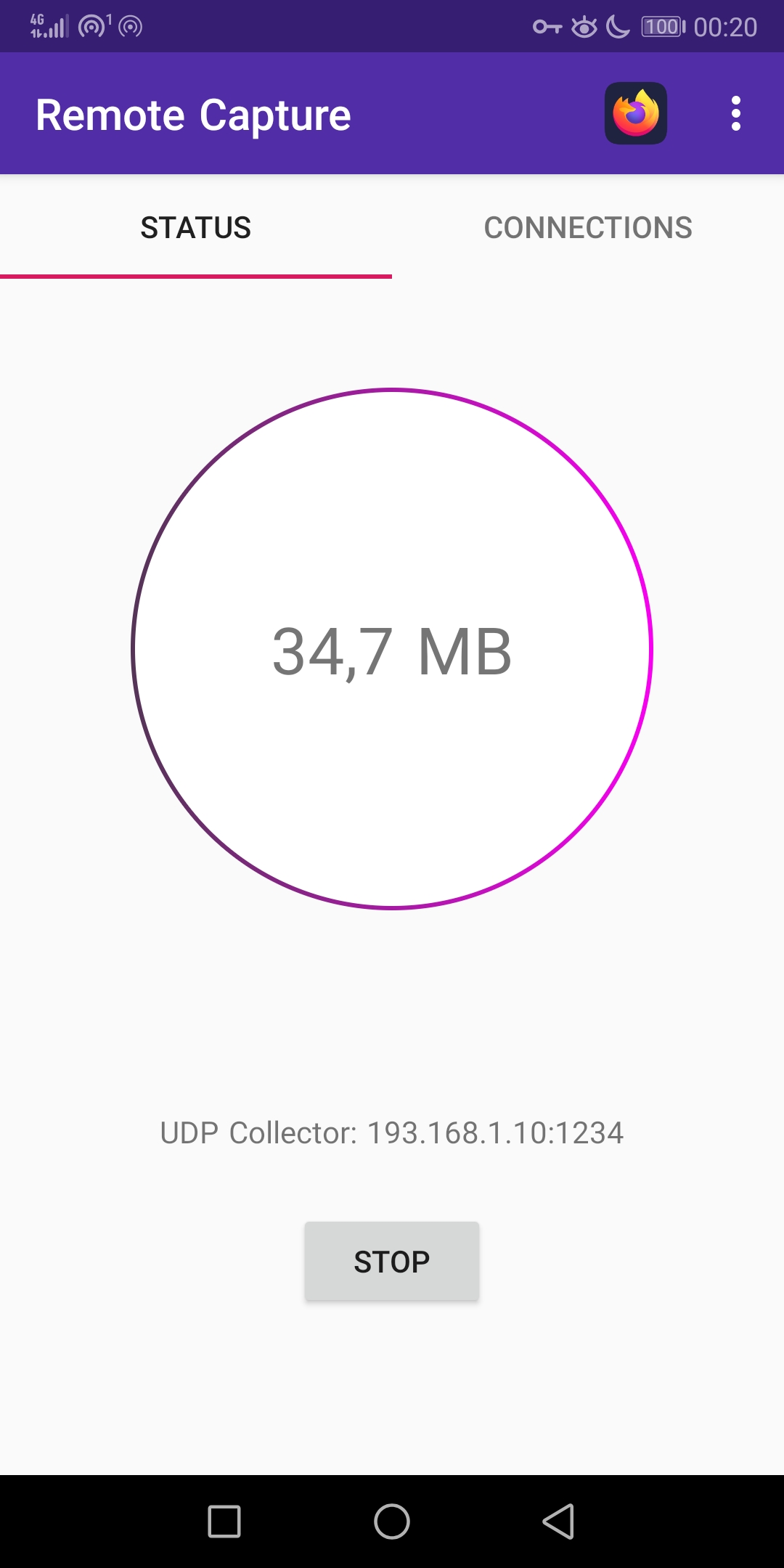
Realtime Traffic Analysis:
tools/udp_receiver.py -p 1234 | wireshark -k -i -
Features:
- Capture apps traffic without root
- Send captured traffic via UDP
- Show captured traffic realtime statistics
- Apply a filter to only capture traffic for the selected app
Download:
https://github.com/emanuele-f/RemoteCapture/releases https://play.google.com/store/apps/details?id=com.emanuelef.remote_capture
App filter and DNS Traffic
Many applications rely on the Android DNS resolution service netd in order to resolve names. All the DNS requests sent via this service will come from netd, so it's not possible to which app made the request, so the app filter won't work. In order to circunvent this, Remote Capture will dump all the DNS traffic from netd regardless of the app filter. This can be disabled by toggling off the "Capture Unknown Traffic" preference.
Receiving the PCAP
The UDP receiver script can be used to receive the packets from the mobile application. As an alternative, the socat utily can be used (e.g. socat -b 65535 - udp4-listen:1234) but without the ability to pause and resume the capture. When using socat, setting the -b option is mandatory in order to correctly receive the packets (not supported in nc).
- Analyze the traffic in Wireshark:
udp_receiver.py -p 1234 | wireshark -k -i -
- Analyze the traffic with ntopng:
udp_receiver.py -p 1234 | ntopng -m “10.215.173.0/24” -i -
- Write the traffic to a PCAP file:
udp_receiver.py -p 1234 | tcpdump -w dump.pcap -r -
How it Works
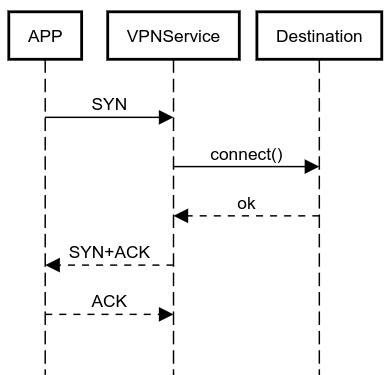
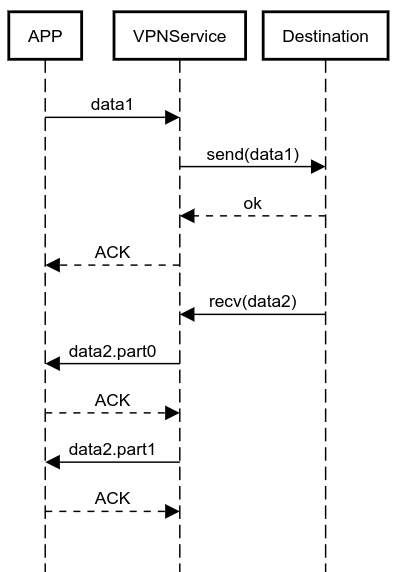
In order to run without root, the app takes advantage of the Android VPNService API to collect the packets on the device (they are not sent to an external VPN server). The zdtun connections proxy library is used to route the packets back to their original destination. Here are some diagrams of how it works:
Building
- Clone this repo locally
- Clone https://github.com/emanuele-f/zdtun beside this repository
- Build the
zdtunmodule first - Then build the
appmodule