
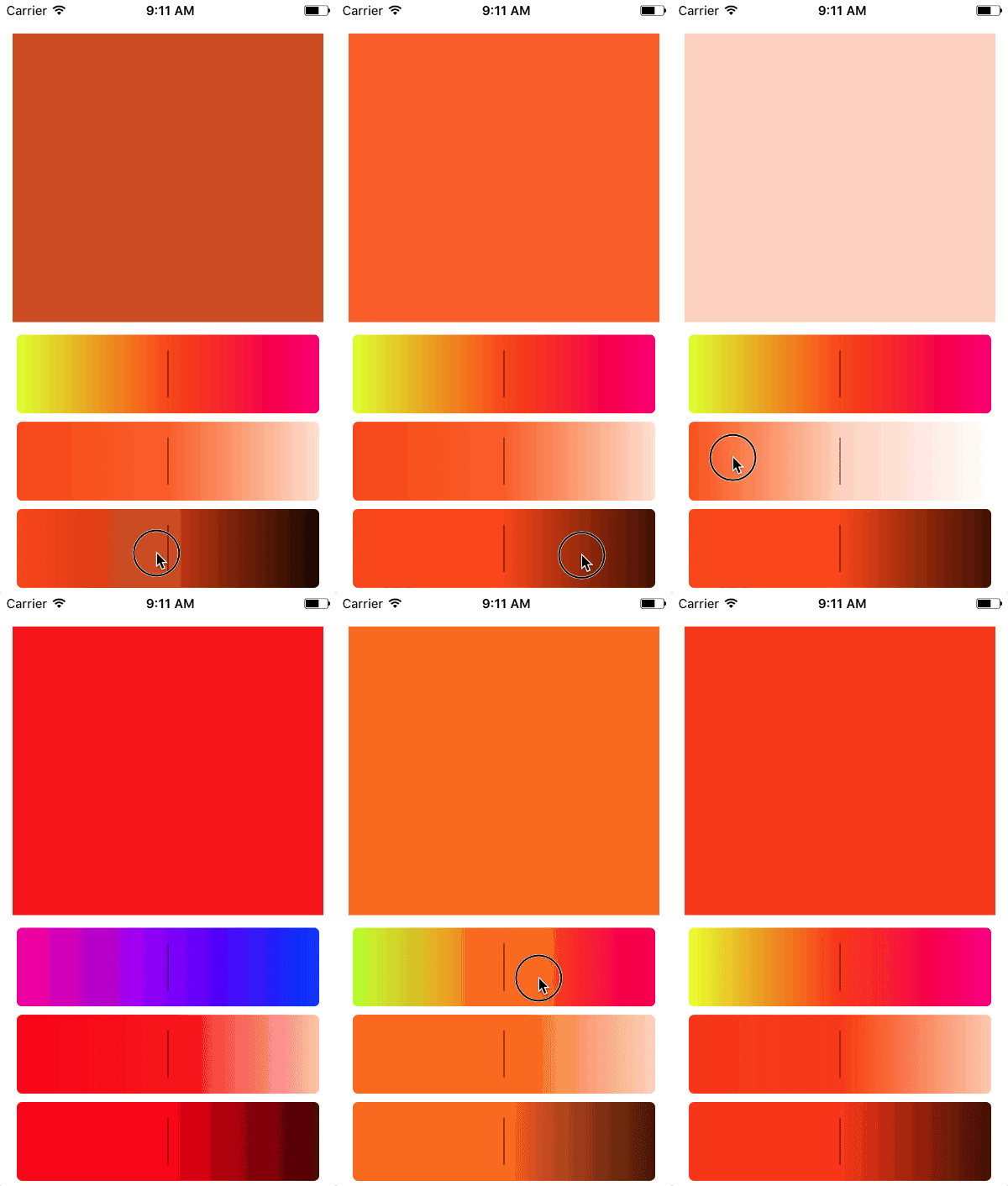
> Lightweight HSB color picker view in Swift.
## Install
### Carthage
Add the following to your Cartfile:
```
github "naturaln0va/RAScrollablePickerView"
```
The build the Cartfile:
```
carthage update --platform iOS
```
Then drag `Carthage/Build/iOS/RAScrollablePickerView.framework` into your Xcode project.
Finally add the import:
```
import RAScrollablePickerView
```
### Manual
Just drop `Framework/RAScrollablePickerView/RAScrollablePickerView/RAScrollablePickerView.swift` in your project.
## Usage
Then create 3 instances of the scrollable picker view and assign each a different type.
``` swift
huePicker.delegate = self
saturationPicker.delegate = self
saturationPicker.type = .saturation
saturationPicker.hueValueForPreview = huePicker.value
brightnessPicker.delegate = self
brightnessPicker.type = .brightness
brightnessPicker.hueValueForPreview = huePicker.value
```
Finally make sure the parent view/viewcontroller conforms to RAScrollablePickerViewDelegate and add the required valueChanged method.
``` swift
func valueChanged(_ value: CGFloat, type: PickerType) {
switch type {
case .hue:
colorPreView.backgroundColor = UIColor(hue: value, saturation: saturationPicker.value, brightness: brightnessPicker.value, alpha: 1)
saturationPicker.hueValueForPreview = value
brightnessPicker.hueValueForPreview = value
case .saturation:
colorPreView.backgroundColor = UIColor(hue: huePicker.value, saturation: value, brightness: brightnessPicker.value, alpha: 1)
case .brightness:
colorPreView.backgroundColor = UIColor(hue: huePicker.value, saturation: saturationPicker.value, brightness: value, alpha: 1)
}
}
```
### Update a picker with a color
```swift
let colors: [UIColor] = [.systemBlue, .systemOrange, .systemYellow]
let startColor = colors.randomElement() ?? .systemPink
picker.set(color: startColor)
```
## Contact
Feel free the reach out to me if you have an questions.
- https://twitter.com/naturaln0va
- https://ackermann.io