mirror of
https://github.com/facebook/react.git
synced 2025-11-01 09:12:30 +00:00
 Joseph Savona
f4df345420
ESLint's default parser doesn't support any non-standard syntax, which includes
JSX. So when I added the ESLint validation step to the playground, it meant that
valid examples containing JSX still reported "invalid output". I tried to use an
alternative parser, but I couldn't figure out the right webpack incantations to
make `@babel/eslint-parser` or `hermes-eslint` work. I even tried recreating
some of their code to avoid problematic imports, no dice.

Instead this PR:

* No longer uses the `postCodegenValidator` step, and runs the validation on the
output after compilation completes. This is better anyway since we can see the
output *and* the error messages

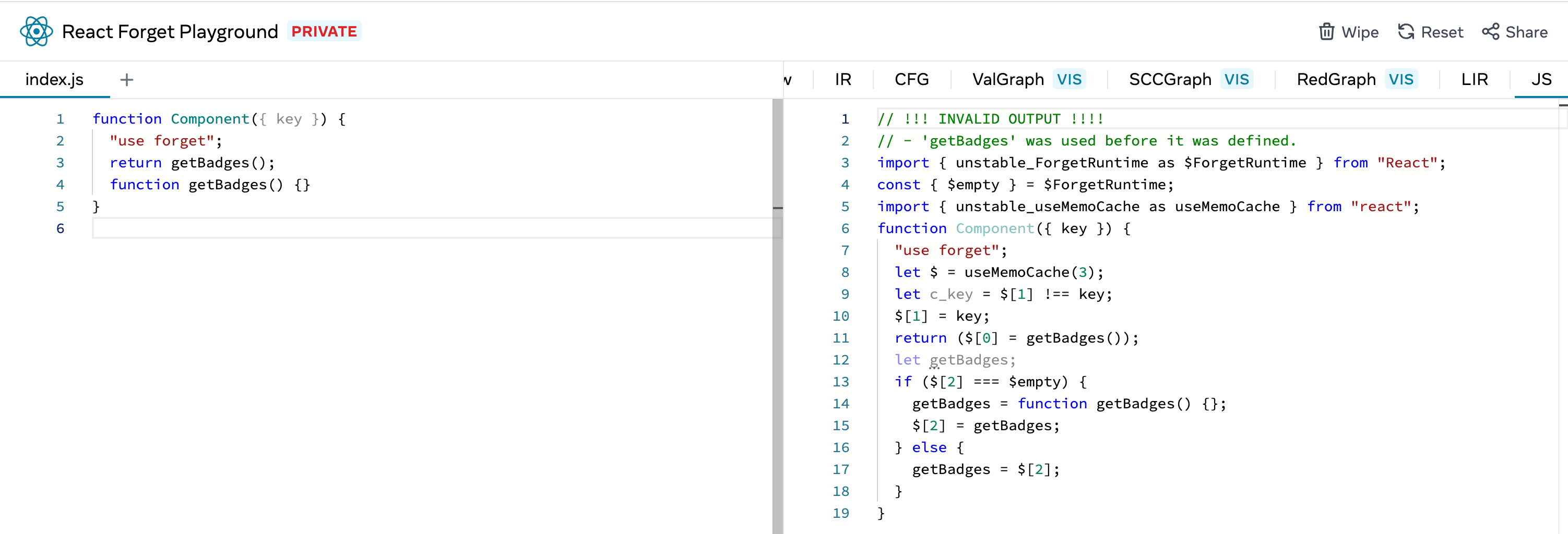
* Shows rule violations as an "Invalid output" comment

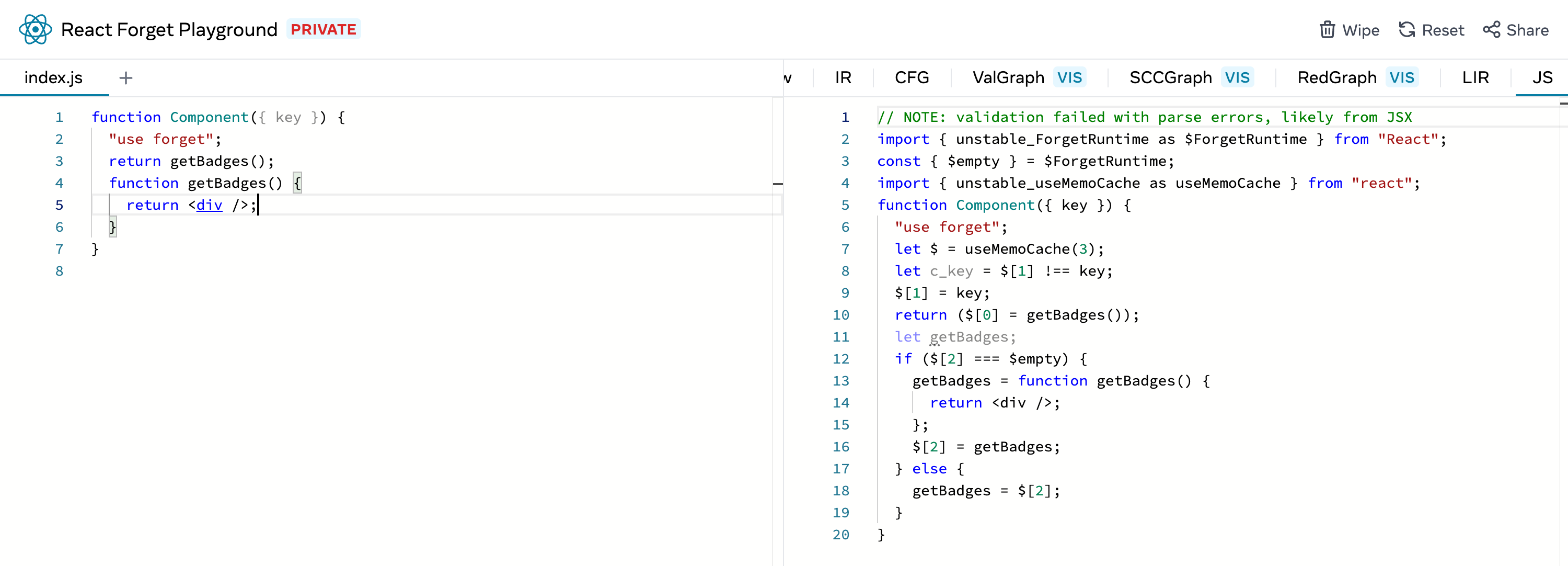
* Shows parser errors as a note (mostly to indicate that the validation step
couldn't run, there could still be no-use-before-define violations that weren't
found)

Invalid example:

<img width="1502" alt="Screen Shot 2022-10-21 at 9 50 23 AM"
src="https://user-images.githubusercontent.com/6425824/197249007-1ec244a0-6dfe-4ec6-a0d0-60302efd86bd.png">

Sample example but with some JSX:

<img width="1500" alt="Screen Shot 2022-10-21 at 9 50 39 AM"
src="https://user-images.githubusercontent.com/6425824/197249030-e68ba968-4101-47c7-a148-f548f84f375c.png">
React Forget Playground
An interactive playground to demonstrate, test, and have fun with React Forget.
Setup
# Build Forget from source and install Playground dependencies.
$ yarn

# Or similarly
$ npm install
Development
# Start the local development server with
$ yarn dev

# Or
$ npm run dev

# Rerun the following (in a separate terminal window) when Forget
# is changed locally to keep Playground in sync.
$ yarn
Deployment
This project has been deployed using Vercel. Vercel does the exact same thing as we would
locally, by running yarn at the install step in the Playground directory to build
Forget from source and symlink it as its dependency.
This means that Playground is automatically deployed on every push and pull requests will reflect
the behaviors of Forget of that commit.