
 Hein Rutjesandgrabbou
99fc293280
Hein Rutjesandgrabbou
99fc293280
Summary: This PR fixes the drawing of the border rounded edges when the border-radius is small than the border-width. The current implementation capped the possible border-radius making it impossible to set smaller border-radii when using thicker borders. After inspection it was found that the rounded-rect calculation is incorrect. ## Changelog `[Android] [Fixed] - Fix rounded border-drawing when border-radius is smaller than border-width` Pull Request resolved: https://github.com/facebook/react-native/pull/28358 Test Plan: **Faulty situation:** As you can see, when the border-radius becomes very low, the border is stuck at a minimum value. Only after setting the border-radius fully to 0 is it again rendered correctly. 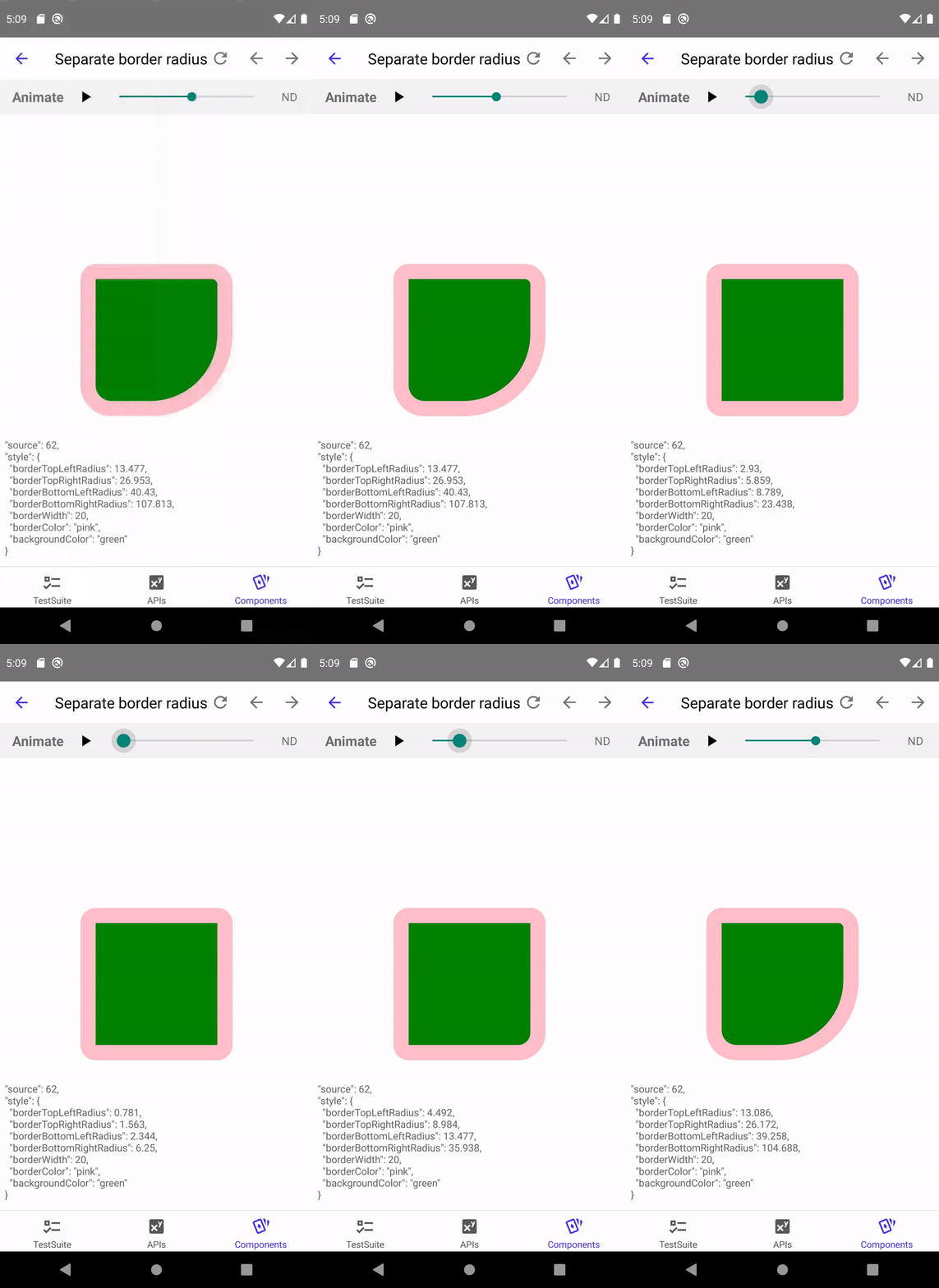 **After the fix:**  Differential Revision: D21124739 Pulled By: shergin fbshipit-source-id: cefd1776b77b5b9fb335e95fd7fdd7f345579dc4


RNTester
The RNTester showcases React Native views and modules.
Running this app
Before running the app, make sure you ran:
git clone https://github.com/facebook/react-native.git
cd react-native
yarn install
Running on iOS
Both macOS and Xcode are required.
- Install CocoaPods. We installing CocoaPods using Homebrew:
brew install cocoapods - Run
cd RNTester; pod install - Open the generated
RNTesterPods.xcworkspace. This is not checked in, as it is generated by CocoaPods. Do not openRNTesterPods.xcodeprojdirectly.
Running on Android
You'll need to have all the prerequisites (SDK, NDK) for Building React Native installed.
Start an Android emulator.
cd react-native
./gradlew :RNTester:android:app:installJscDebug
./scripts/packager.sh
Note: Building for the first time can take a while.
Open the RNTester app in your emulator.
If you want to use a physical device, run adb devices, then adb -s <device name> reverse tcp:8081 tcp:8081.
See Running on Device for additional instructions on using a physical device.
Running with Buck
Follow the same setup as running with gradle.
Install Buck from here.
Run the following commands from the react-native folder:
./gradlew :ReactAndroid:packageReactNdkLibsForBuck
buck fetch rntester
buck install -r rntester
./scripts/packager.sh
Note: The native libs are still built using gradle. Full build with buck is coming soon(tm).
Running Detox Tests on iOS
Install Detox from here.
To run the e2e tests locally, run the following commands from the react-native folder:
yarn build-ios-e2e
yarn test-ios-e2e
These are the equivalent of running:
detox build -c ios.sim.release
detox test -c ios.sim.release --cleanup
These build the app in Release mode, so the production code is bundled and included in the built app.
When developing E2E tests, you may want to run in development mode, so that changes to the production code show up immediately. To do this, run:
detox build -c ios.sim.debug
detox test -c ios.sim.debug
You will also need to have Metro running in another terminal. Note that if you've previously run the E2E tests in release mode, you may need to delete the RNTester/build folder before rerunning detox build.
Building from source
Building the app on both iOS and Android means building the React Native framework from source. This way you're running the latest native and JS code the way you see it in your clone of the github repo.
This is different from apps created using react-native init which have a dependency on a specific version of React Native JS and native code, declared in a package.json file (and build.gradle for Android apps).