mirror of
https://github.com/facebook/react-native.git
synced 2025-11-01 09:14:26 +00:00
 Vojtech Novak
bd3868643d
Vojtech Novak
bd3868643d
Summary: Motivation is to support ripple radius just like in TouchableNativeFeedback, plus borderless attribute. See https://github.com/facebook/react-native/pull/28009#issuecomment-589489520 In the current form this means user needs to pass an `android_ripple` prop which is an object of this shape: ``` export type RippleConfig = {| color?: ?ColorValue, borderless?: ?boolean, radius?: ?number, |}; ``` Do we want to add methods that would create such config objects - https://facebook.github.io/react-native/docs/touchablenativefeedback#methods ? ## Changelog [Android] [Added] - support borderless and custom ripple radius on Pressable Pull Request resolved: https://github.com/facebook/react-native/pull/28156 Test Plan: Tested locally in RNTester. I noticed that when some content is rendered after the touchables, the ripple effect is "cut off" by the boundaries of the next view. This is not specific to Pressable, it happens to TouchableNativeFeedback too but I just didn't notice it before in https://github.com/facebook/react-native/pull/28009. As it is an issue of its own, I didn't investigate that. 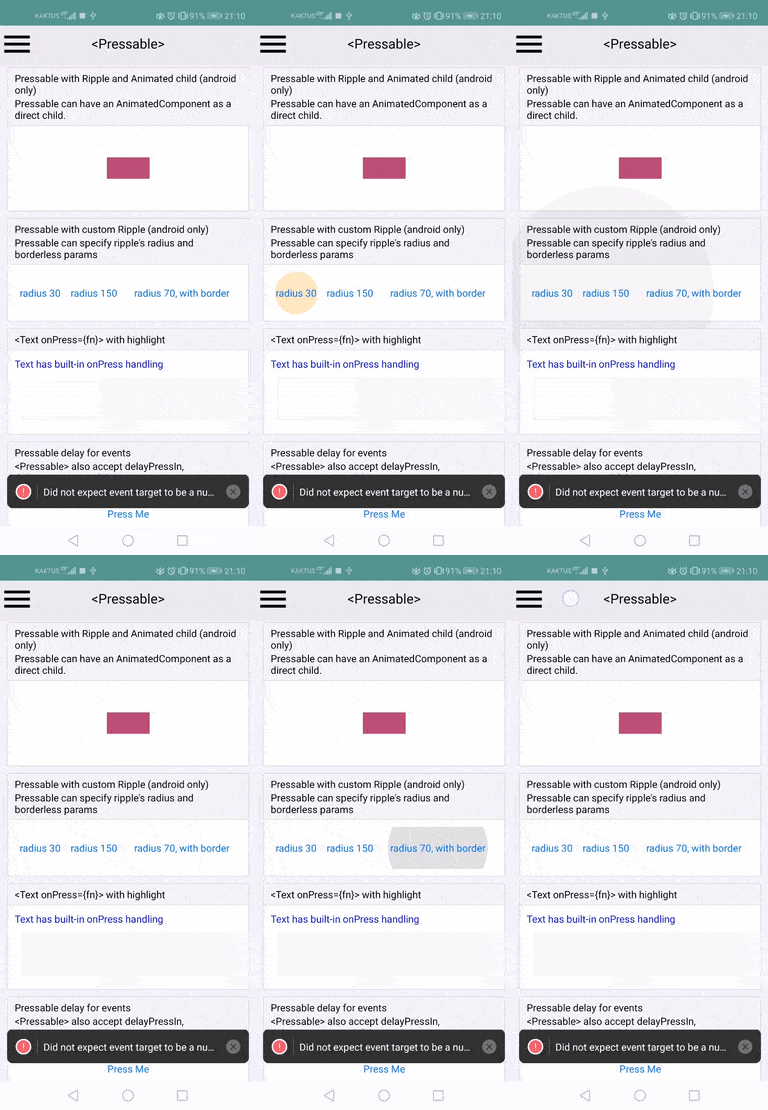 I changed the Touchable example slightly too (I just moved the "custom ripple radius" up to show the "cutting off" issue), so just for completeness: 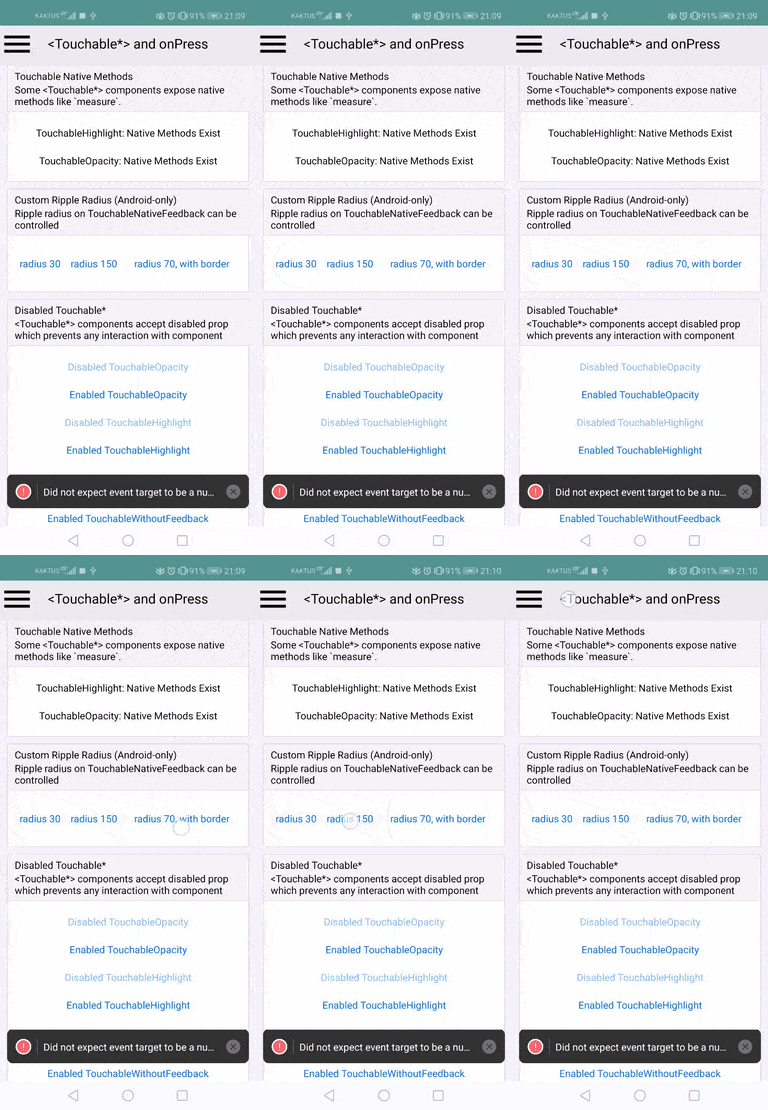 Reviewed By: yungsters Differential Revision: D20071021 Pulled By: TheSavior fbshipit-source-id: cb553030934205a52dd50a2a8c8a20da6100e23f


106 lines
3.0 KiB
JavaScript
106 lines
3.0 KiB
JavaScript
/**
|
|
* Copyright (c) Facebook, Inc. and its affiliates.
|
|
*
|
|
* This source code is licensed under the MIT license found in the
|
|
* LICENSE file in the root directory of this source tree.
|
|
*
|
|
* @flow strict-local
|
|
* @format
|
|
*/
|
|
|
|
'use strict';
|
|
|
|
import invariant from 'invariant';
|
|
import {Commands} from '../View/ViewNativeComponent';
|
|
import type {ColorValue} from '../../StyleSheet/StyleSheetTypes';
|
|
import type {PressEvent} from '../../Types/CoreEventTypes';
|
|
import {Platform, View, processColor} from 'react-native';
|
|
import * as React from 'react';
|
|
import {useMemo} from 'react';
|
|
|
|
type NativeBackgroundProp = $ReadOnly<{|
|
|
type: 'RippleAndroid',
|
|
color: ?number,
|
|
borderless: boolean,
|
|
rippleRadius: ?number,
|
|
|}>;
|
|
|
|
export type RippleConfig = {|
|
|
color?: ?ColorValue,
|
|
borderless?: ?boolean,
|
|
radius?: ?number,
|
|
|};
|
|
|
|
/**
|
|
* Provides the event handlers and props for configuring the ripple effect on
|
|
* supported versions of Android.
|
|
*/
|
|
export default function useAndroidRippleForView(
|
|
rippleConfig: ?RippleConfig,
|
|
viewRef: {|current: null | React.ElementRef<typeof View>|},
|
|
): ?$ReadOnly<{|
|
|
onPressIn: (event: PressEvent) => void,
|
|
onPressMove: (event: PressEvent) => void,
|
|
onPressOut: (event: PressEvent) => void,
|
|
viewProps: $ReadOnly<{|
|
|
nativeBackgroundAndroid: NativeBackgroundProp,
|
|
|}>,
|
|
|}> {
|
|
const {color, borderless, radius} = rippleConfig ?? {};
|
|
const normalizedBorderless = borderless === true;
|
|
|
|
return useMemo(() => {
|
|
if (
|
|
Platform.OS === 'android' &&
|
|
Platform.Version >= 21 &&
|
|
(color != null || normalizedBorderless || radius != null)
|
|
) {
|
|
const processedColor = processColor(color);
|
|
invariant(
|
|
processedColor == null || typeof processedColor === 'number',
|
|
'Unexpected color given for Ripple color',
|
|
);
|
|
|
|
return {
|
|
viewProps: {
|
|
// Consider supporting `nativeForegroundAndroid`
|
|
nativeBackgroundAndroid: {
|
|
type: 'RippleAndroid',
|
|
color: processedColor,
|
|
borderless: normalizedBorderless,
|
|
rippleRadius: radius,
|
|
},
|
|
},
|
|
onPressIn(event: PressEvent): void {
|
|
const view = viewRef.current;
|
|
if (view != null) {
|
|
Commands.setPressed(view, true);
|
|
Commands.hotspotUpdate(
|
|
view,
|
|
event.nativeEvent.locationX ?? 0,
|
|
event.nativeEvent.locationY ?? 0,
|
|
);
|
|
}
|
|
},
|
|
onPressMove(event: PressEvent): void {
|
|
const view = viewRef.current;
|
|
if (view != null) {
|
|
Commands.hotspotUpdate(
|
|
view,
|
|
event.nativeEvent.locationX ?? 0,
|
|
event.nativeEvent.locationY ?? 0,
|
|
);
|
|
}
|
|
},
|
|
onPressOut(event: PressEvent): void {
|
|
const view = viewRef.current;
|
|
if (view != null) {
|
|
Commands.setPressed(view, false);
|
|
}
|
|
},
|
|
};
|
|
}
|
|
return null;
|
|
}, [color, normalizedBorderless, radius, viewRef]);
|
|
}
|