Summary:
Hello Everyone, this series of commits helps to fix problems related to ART on Android. The main problem in here is that the ART components would disappear if the user turns off the screen and then turn it on again.  It's important to note that this behaviour only occurs after Android N (7.1 or higher).
Pull Request resolved: https://github.com/facebook/react-native/pull/22624

Differential Revision: D15122573

Pulled By: cpojer

fbshipit-source-id: e7fb8b9280b4c52562e3d0c1a89759d4d31cd53d
Summary:
React Native Environment Info:
    System:
      OS: Linux 4.15 Ubuntu 18.04.1 LTS (Bionic Beaver)
      CPU: (4) x64 Intel(R) Core(TM) i5-7300U CPU @ 2.60GHz
      Memory: 1.12 GB / 15.55 GB
      Shell: 4.4.19 - /bin/bash
    Binaries:
      Node: 8.10.0 - /usr/bin/node
      Yarn: 1.13.0 - /usr/local/bin/yarn
      npm: 3.5.2 - /usr/bin/npm
    SDKs:
      Android SDK:
        API Levels: 16, 19, 22, 23, 24, 25, 26, 27, 28
        Build Tools: 23.0.1, 23.0.3, 25.0.0, 25.0.2, 25.0.3, 26.0.1, 26.0.3, 27.0.3, 28.0.2, 28.0.3
        System Images: android-16 | Google APIs Intel x86 Atom, android-19 | Google APIs Intel x86 Atom, android-24 | Google Play Intel x86 Atom, android-27 | Google APIs Intel x86 Atom, android-28 | Intel x86 Atom_64, android-28 | Google APIs Intel x86 Atom, android-28 | Google Play Intel x86 Atom
    npmPackages:
      react: 16.8.6 => 16.8.6
      react-native: git+https://github.com/facebook/react-native.git#v0.59.5 => 0.59.5
    npmGlobalPackages:
      react-native-cli: 2.0.1
      react-native-git-upgrade: 0.2.7

The workaround implemented in https://github.com/facebook/react-native/pull/21117 tries to fix
https://issuetracker.google.com/issues/112385925 scroll direction (according to the latest comments, the scroll direction problem has been reverted in security patches so not sure if the workaround is still valid).

But... proposed solution in fling method is using signum which leads to zero computedVelocityY in case of zero mOnScrollDispatchHelper.getYFlingVelocity() on old devices(Samsung s4 mini) even when real velocityY is non zero

```
final int correctedVelocityY = (int)(Math.abs(velocityY) * Math.signum(mOnScrollDispatchHelper.getYFlingVelocity()));
```

Proposed solution is to take signum from original velocityY in case of zero
```
float signum = Math.signum(mOnScrollDispatchHelper.getYFlingVelocity());
if (signum == 0) {
  signum = Math.signum(velocityY);
}
final int correctedVelocityY = (int)(Math.abs(velocityY) * signum);
```

The symptoms are the same as described in issue https://github.com/facebook/react-native/issues/22925, but proposed workaround doesn't work.

[Android][fixed] - Fix smooth scrolling on old devices (SDK >=16)
Pull Request resolved: https://github.com/facebook/react-native/pull/24545

Differential Revision: D15044834

Pulled By: cpojer

fbshipit-source-id: 3f523eb1a438df774e22387aecded433b9031ab9
Summary: It seems like ReactContext isn't actually needed in measure functions. Changing the signature of ViewManager.measure() to take a Context instead.

Reviewed By: lunaleaps

Differential Revision: D14940330

fbshipit-source-id: b29987fd1d7f9c191a5f26138151082ca61cb351
Summary:
In order to meet our accessibility requirements we need to have full support for keyboard navigation. The Touchable components works with press/tap with a finger, but doesn't respond to 'enter' when using a keyboard. Navigation works fine. This PR adds an onClick listener to touchable views that have the onPress prop defined.

[Android] [Added] - Add View.OnClickListener to Touchable components when onPress is defined
Pull Request resolved: https://github.com/facebook/react-native/pull/24359

Differential Revision: D14971230

Pulled By: cpojer

fbshipit-source-id: ca5559ca1308ee6c338532a00dcea4d00fa57f42
Summary: This is removing packages and libraries from the repo.  Any modified buck files simply change the redirect targets to something more appropriate (no logic actually changed)

Differential Revision: D14950721

fbshipit-source-id: 6c14f827b76ca1dbaf83dcb983930f362c6a27d4
Summary:
Would like feedback from the community as this may not be the best solution for all

I would like to restrict (or paginate) the fling of a horizontal ScrollView when `snapToInterval` is set. This is not currently possible with `pagingEnabled`, since the pagination works only when items are the entire width of the ScrollView.

This implementation simply restricts the predicted `targetOffset` found from the `x` velocity and replaces it with the offset when the pan gesture ended.

To get pagination working, I may paginate based on the interval by calculating the offset delta from the beginning of the gesture to current offset and restricting the scrolling behavior to the `snapToInterval`. If this is preferred, I can update this PR or make a new one, but wanted to start a discussion since it seems like there are many in the community that would like this feature  #21302 .

[General] [Added] - add prop `disableIntervalMomentum` to disable the predictive scrolling behavior of horizontal ScrollViews
Pull Request resolved: https://github.com/facebook/react-native/pull/24045

Differential Revision: D14939754

Pulled By: sahrens

fbshipit-source-id: 26be19c47dfb8eed4d7e6035df53a77451e23081
Summary: Similar to iOS, here we provide the basic impl of unimplemented view.

Reviewed By: mdvacca

Differential Revision: D14895706

fbshipit-source-id: 9053edfb2175b370d9070b6921794dbcafa1f37a
Summary:
Android API 26 and Android Support Library 26 added support for font resource type and native/downloadable fonts. It allows apps to easily download fonts from online providers, but also use of various font weights other than normal and bold, like medium. So it deprecated APIs for asset fonts, and should be removed in the future.

Advantages:
- Just copy font files in res/font and use it specifying filename (without extension) in fontFamily
- Define custom font-family using XML file (in res/font) and font files, it may have many weights and styles. See PR for example.
- Define configuration to download fonts from online font providers, and use it.

See https://developer.android.com/guide/topics/ui/look-and-feel/fonts-in-xml and https://developer.android.com/guide/topics/ui/look-and-feel/downloadable-fonts

[Android] [Changed] - add support for custom/downloadable fonts
Pull Request resolved: https://github.com/facebook/react-native/pull/23865

Differential Revision: D14506542

Pulled By: hramos

fbshipit-source-id: 67ba3148fb4b548cdbc779213cf6c1b2c3baffd2
Summary:
Fixes#22511
I understand the motivation of adding extraRadiusForOutline to corner radius: without it there can be an empty space between border and view's background color.
So I add simple check: if corner radius is more than zero we still add extraRadiusForOutline. And if not, we don't add it to prevent all the corners to become slightly curved.
[GENERAL] [Fixed] - fix of Android's bug that causes all the corners to become slightly curved if only specific corners' radius should be more than zero.
Pull Request resolved: https://github.com/facebook/react-native/pull/24390
Differential Revision: D14870476
Pulled By: cpojer
fbshipit-source-id: df40fc584a2f8badc499413cb3c4e4d96b9e18cf
Summary:
Since text and selection has dependency, handle text selection in
updateExtraData as well.

The root cause is due to setText is handled on extra data update but setSelection is handled on set property. And extra data update will be handled after all properties are handled. Since selection and text has dependency, move selection to extra data update as well.

Changelog:
----------
[Android] [Fixed] - Fix crash when set text and selection on textinput at the same time
Pull Request resolved: https://github.com/facebook/react-native/pull/22723

Differential Revision: D14783791

Pulled By: cpojer

fbshipit-source-id: a4065f3e151d23f4813d76e91d68362cfd4daaf4
Summary:
It seems that the content view can sometimes be null when onOverScrolled is called (presumably when the scrollview gets unmounted while it's in the middle of scrolling?).

Changelog: [Android][fixed] - Guard against content view being null in onOverScrolled.

Reviewed By: mdvacca

Differential Revision: D14737534

fbshipit-source-id: e88ec6f585e50517b734a8809fc3843c0b22df10
Summary: This moves the Java files to FB internal and updates all the buck files

Reviewed By: TheSavior

Differential Revision: D14622521

fbshipit-source-id: a8d293e9f9e08868cca3ed2986a08d0db16dec15
Summary:
Try to prevent the crash described in https://github.com/facebook/react-native/issues/17530

There seems to be a bug in `Drawable.mutate()` in some devices/android os versions even after you check the constant state. This error is hard to reproduce and to fix, so just try to catch the exception to prevent crash.

[Android][Fixed] Prevent random crash when setting underlineColorAndroid
Pull Request resolved: https://github.com/facebook/react-native/pull/24183

Differential Revision: D14710484

Pulled By: cpojer

fbshipit-source-id: 3af20a5cb0ecd40839beaf85118c0f5aa6905414
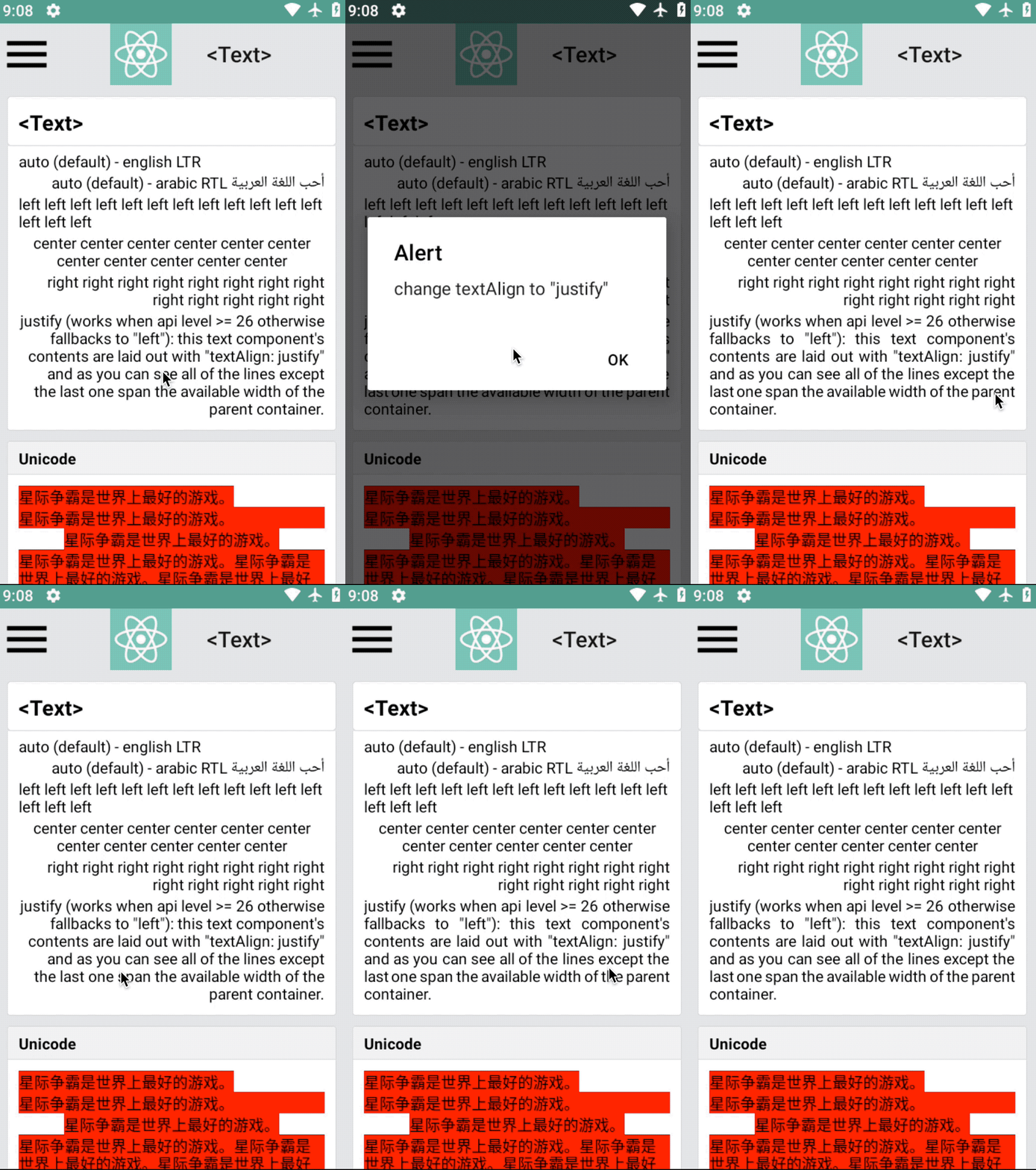
Summary:
Potential breaking change: The signature of ReactShadowNode's onBeforeLayout method was changed
  - Before: public void onBeforeLayout()
  - After:  public void onBeforeLayout(NativeViewHierarchyOptimizer nativeViewHierarchyOptimizer)

Implements same feature as this iOS PR: https://github.com/facebook/react-native/pull/7304

Previously, only Text and Image could be nested within Text. Now, any view can be nested within Text. One restriction of this feature is that developers must give inline views a width and a height via the style prop.

Previously, inline Images were supported via FrescoBasedReactTextInlineImageSpan. To get support for nesting views within Text, we create one special kind of span per inline view. This span is called TextInlineViewPlaceholderSpan. It is the same size as the inline view. Its job is just to occupy space -- it doesn't render any visual. After the text is rendered, we query the Android Layout object associated with the TextView to find out where it has positioned each TextInlineViewPlaceholderSpan. We then position the views to be at those locations.

One tricky aspect of the implementation is that the Text component needs to be able to render native children (the inline views) but the Android TextView cannot have children. This is solved by having the native parent of the ReactTextView also host the inline views. Implementation-wise, this was accomplished by extending the NativeViewHierarchyOptimizer to handle this case. The optimizer now handles these cases:
  - Node is not in the native tree. An ancestor must host its children.
  - Node is in the native tree and it can host its own children.
  - (new) Node is in the native tree but it cannot host its own children. An ancestor must host both this node and its children.

I added the `onInlineViewLayout` event which is useful for writing tests for verifying that the inline views are positioned properly.

Limitation: Clipping
----------

If Text's height/width is small such that an inline view doesn't completely fit, the inline view may still be fully visible due to hoisting (the inline view isn't actually parented to the Text which has the limited size. It is parented to an ancestor which may have a different clipping rectangle.). Prior to this change, layout-only views had a similar limitation.
Pull Request resolved: https://github.com/facebook/react-native/pull/23195

Differential Revision: D14014668

Pulled By: shergin

fbshipit-source-id: d46130f3d19cc83ac7ddf423adcc9e23988245d3
Summary:
Add the ability to set a custom handler on ReactWebViewManager to handle client certificate challenges during TLS authentication.

[Android][Added] - Public method setCustomClientCertRequestHandler to the native com.facebook.react.views.webview.ReactWebViewManager, that allows using a custom response for client certificate challenges.

Reviewed By: mjhu

Differential Revision: D14609697

fbshipit-source-id: 567c95458af638d1f8233fc3ca0d9cefc061c2bf
Summary:
We want the ability to use Linkify on android text elements. This only adds this property to Text and not TextInput since there are some functional differences with how the types could be used between iOS and android - iOS allows one or many types while Linkify restricted us to providing only one option (using the masks).

Performance is affected ONLY FOR TEXT ELEMENTS USING THIS FEATURE since Linkify is searching for patterns.
Pull Request resolved: https://github.com/facebook/react-native/pull/19216

Differential Revision: D14621883

Pulled By: cpojer

fbshipit-source-id: cb692021d314140b9a92b29e23384afd7fd1b09e
Summary: This diff fixes an IllegalStateException that is thrown when the user click is on a edit text and tap 'Next' on the keyboard to focus on the next view, but the next view is hidden.

Reviewed By: lunaleaps, mmmulani

Differential Revision: D14598410

fbshipit-source-id: 2999cc468ed24bedff163eedcfaec50f6ee005d6
Summary:
Google recommends to use Gravity.START and Gravity.END instead of Gravity.LEFT and Gravity.RIGHT to support RTL better.

[Android] [Changed] - Improve RTL support
Pull Request resolved: https://github.com/facebook/react-native/pull/24069

Differential Revision: D14541569

Pulled By: cpojer

fbshipit-source-id: 5c104d8bd666e1270d5410216c7f2efa6152692a
Summary:
This diff migrates RN to AndroidX.
As part of this diff I disabled few tests in RNAndroid OSS that will be re-enabled this week. As part of the refactor of BUCK files in OSS

Reviewed By: shergin

Differential Revision: D14200097

fbshipit-source-id: 932fcae251d1553e672acd67ecd0e703dcb364aa
Summary:
fixes#23962, where trackColor is reset when value changed. This PR will set trackColor corresponding trackColor every-time value changes.
[Android] [Changed] - Fix Switch trackColor
Pull Request resolved: https://github.com/facebook/react-native/pull/23977
Differential Revision: D14495206
Pulled By: hramos
fbshipit-source-id: d712f540cd3f8359d6e85f79c12732689870a112
Summary:
Autofill Hints were added in [Android API 26](https://developer.android.com/reference/android/view/View.html#setAutofillHints(java.lang.String...)). Without this runtime check, pre-26 devices will crash.

[Android][Fixed] - Fixes crash on pre-26 Android devices when setting text content type

Reviewed By: lunaleaps

Differential Revision: D14479468

fbshipit-source-id: 238c1efd6aea682a93ecb45e1123aaed6bdcd9e3
Summary: Easy cleanup of commented code in TextLayoutManager, I kept the TODOs to complete the code in the future

Reviewed By: shergin

Differential Revision: D14372356

fbshipit-source-id: ff87f9b09e9f40ed021256f463e39299467b3e0e
Summary:
Signed-off-by: yukai <yk3372@gmail.com>
In some Android device such as Samsung S8, the ModalHostView's child view can't fill the screen.
before:

The JS ModalHostView can't fill the bottom, the area is device's navigation bar.
In class ModalHostShadowNode, follow code calculate is error:
`Point modalSize = ModalHostHelper.getModalHostSize(getThemedContext());`
This way not care the device's navigation bar, so the height is smaller than real.
For Samsung S8, real height is 2220 and modalSize.y is 2076.
Pull Request resolved: https://github.com/facebook/react-native/pull/18615
Differential Revision: D14206830
Pulled By: cpojer
fbshipit-source-id: abe35ce1ab253aa1472d2c798543b515218be445
Summary:
RN offers checkbox component on android: https://facebook.github.io/react-native/docs/checkbox.html

The Checkbox colors for checked and unchecked states cannot be controlled from JS at the moment; this PR adds support for that.

The essence of changing colors for the states is this:

```
ColorStateList cls = new ColorStateList(
        new int[][] {
                new int[] { -android.R.attr.state_checked }, // unchecked
                new int[] {  android.R.attr.state_checked }  // checked
        },
        new int[] {
                uncheckedColor,
                checkedColor
        }
);
checkBox.setSupportButtonTintList(cls);
```

Because of this, I did it so that both colors have to provided together in an object. This is similar to [switch](https://facebook.github.io/react-native/docs/switch#trackcolor)
Pull Request resolved: https://github.com/facebook/react-native/pull/18300

Differential Revision: D14180218

Pulled By: cpojer

fbshipit-source-id: 88a9d1faf061c0651e3e28950f697535b90fbfd4
Summary:
Clearing the android TextInput text programmatically (i.e. calling: this.textInputRef.clear()) does not clear the previously composing text, if enabled, causing inconveniences when such behaviour is desired (i.e. chat input box, where you constantly have to clear the input after sending a message). Instead, the currently observed behaviour is that, after a new text is entered (usually as soon as the first letter), the previously composing text reappears making the input unusable.

The effect is only observable on some devices, for example, we observed it on Samsung S6 devices using both Android 6 and 7, and several LG devices running Android 6.

This issue is only present when clearing the text; setting text to some other value does not produce the same effect.

<!--
  Required: Write your motivation here.
  If this PR fixes an issue, type "Fixes #issueNumber" to automatically close the issue when the PR is merged.
-->
Pull Request resolved: https://github.com/facebook/react-native/pull/18859

Differential Revision: D14067144

Pulled By: hramos

fbshipit-source-id: 09f337edc026b83221f8a399749222cd75457ec7
Summary:
This does fix the issue, however, another, perhaps related issue persists, the dialog/modal occasionally uses what would be the height of the app in non-immersive mode, in immersive mode. Meaning that the background, what ever it is set as, does not use the full available height.

See https://stackoverflow.com/a/23207365 for more info.

Known Problems:
---------
* [Date/time picker](https://facebook.github.io/react-native/docs/datepickerandroid) still brings app out of immersive mode - The date/time picker dialog needs the same treatment (this MR) as `RN Modal` using a wrapper.
* Focusing on text input, which brings up keyboard, also brings app out of immersive mode. Sometimes temporarily, sometimes permanently - Needs investigating. I have tried [this](https://stackoverflow.com/a/25129542), unfortunately it doesn't work. **Workaround I'm using for this, is to call a native module method to re-apply immersive mode flags after `keyboardDidHide` on JS side.**

Changelog:
----------

[Android] [Fixed] - Dialog (RN Modal) brings app permanently out of immersive mode
Pull Request resolved: https://github.com/facebook/react-native/pull/21078

Differential Revision: D14163127

Pulled By: cpojer

fbshipit-source-id: e0b67c91fa81880b19438a939bca26c128309799
Summary:
Native Android sets the EditText widget to multiline only if the InputType flags are set to Text (or its variants like textEmailAddress) and Multiline, which causes the React Native TextInput to not break the line when set to multiline={true} and keyboardType={'numeric'} as it only have the flags Multiline and Number set.

This fix forces the widget to enable multiline, by calling setSingleLine(false) everytime a state change needs to be commited and the multiline prop is set to true.
Pull Request resolved: https://github.com/facebook/react-native/pull/21884

Differential Revision: D14162701

Pulled By: cpojer

fbshipit-source-id: b7d3fc8c5a4444dcfd29ad74d515a8ae486c7ede
Summary: Use the new copyright header format used elsewhere in the React Native repository.

Reviewed By: shergin

Differential Revision: D14091706

fbshipit-source-id: b27b8e6bcdf2f3d9402886dbc6b68c305150b7d5
Summary:
In API 26, autofill framework was introduced in Android.
Read more about Autofill at https://developer.android.com/guide/topics/text/autofill.

Now, if in case for some text input if developer wants to disable
autofill then he can take help from this `importantForAutoFill` prop
and pass `no` to it.

Also important of auto fill can be configured with this prop, like:
* `auto`: Let the Android System use its heuristics to determine if the view is important for autofill.
* `no`: This view isn't important for autofill.
* `noExcludeDescendants`: This view and its children aren't important for autofill.
* `yes`: This view is important for autofill.
* `yesExcludeDescendants`: This view is important for autofill, but its children aren't important for autofill.

Default value if `auto`.

Read more at: https://developer.android.com/guide/topics/text/autofill-optimize

Changelog:
----------
[Android] [Added] - Add prop to configure `importantForAutofill` in `TextInput`.
Pull Request resolved: https://github.com/facebook/react-native/pull/22763

Differential Revision: D14121242

Pulled By: cpojer

fbshipit-source-id: aa4360480dd19f6dde66f0409d26a41a6a318c94
Summary:
TL;DR: Setting `autoComplete` will allow the system to suggest autofill options for the `<TextInput>` component.

Android Oreo introduced the AutoFill Framework, for secure communication between an app and autofill services (e.g. Password managers). When using `<TextInput>` on Android Oreo+, the system already tries to autofill (based on heuristics), but there is no way to set configuring options or disable.

The quick solution would be to just add the same Android attributes (`autofillHints` & `importantForAutofill`) in React Native TextInput, but that doesn't bond well with the cross-platform nature of the library.

Introduces an `autoComplete` prop based on HTML's `autocomplete` attribute, mapping to Android `autofillHints` & `importantForAutofill` and serving as a proper placeholder for autofill/autocomplete in other platforms:

Also gives you the ability to disable autofill by setting autocomplete="off".
Pull Request resolved: https://github.com/facebook/react-native/pull/21575

Differential Revision: D14102949

Pulled By: hramos

fbshipit-source-id: 7601aeaca0332a1f3ce8da8020dba037b700853a
Summary:
Basically I want my cursor to be the same color of the text. Which means obviously that selecting the text will make it invisibible (ie, red text on red selection rectangle)

Today, setting a selection color does set a cursor color, which may be a good default in some cases, but we don't always couple these 2 colors together.

See original commit of janicduplessis https://github.com/facebook/react-native/commit/ae57b25134c4db8be8539a0f0e6e52d46c850339

I'd like to be able to set different colors for selection and cursor.
Pull Request resolved: https://github.com/facebook/react-native/pull/20276

Differential Revision: D14102952

Pulled By: cpojer

fbshipit-source-id: 652ff782044277a0c8a821dd628f0373659a7850
Summary:
This diff refactors JNI methods used by the Binding.cpp class in order to use ReadableMap instead of ReadableNativeMap
This will be helpful to provide a different implementation of ReadableMap from C++

Reviewed By: shergin

Differential Revision: D14077762

fbshipit-source-id: 595b0c2d3a2d6070112257b65c1141a8af36f0e1
Summary:
There's a bug in the OSS Switch component where the track color value is reset to the default value when the switch is toggled. It looks like the Java class resets the track color value in `setOn` (which fires in a press event): https://fburl.com/vmugfzja but these values aren't actually initialized from JS - in Switch.js we only pass through the current track color: https://fburl.com/vytekd0o.

The React component already has an API for defining both true/false track colors. However, we should also make sure not to reset these values for people using the old API of `tintColor`/`onTintColor`, so I'm changing it to only reset the value when both of those props are null.

Reviewed By: mdvacca

Differential Revision: D14035007

fbshipit-source-id: 12d968076bd47d54deedbfc15b12ff3cd77e2fd0
Summary: Trivial cleanup of variables and methods that were not being used in ReactTextView

Reviewed By: blairvanderhoof

Differential Revision: D14027630

fbshipit-source-id: e763d6d001d4a0c2970adebc9855190845cf5a1d
Summary: Make REACT_CLASS a public property on ReactSwitchManager (similar to our other UI managers) so we can more easily lazily load this class.

Reviewed By: mdvacca

Differential Revision: D14028452

fbshipit-source-id: 84aebd4e2e1e0039957d8c12490022386aab7847
Summary:
This diff disables OverlappingRendering for ReactTextView to avoid the exception:

```
java.lang.IllegalStateException: Unable to create layer for com.facebook.react.views.text.ReactTextView
```
during fade animations

OverlappingRendering enables an optimization during rendering of animations per component, disabling this might affect performance of animations inside TextView.

We will add a ReactFlag to experiment on how this affect other surfaces.

Reviewed By: blairvanderhoof

Differential Revision: D14027631

fbshipit-source-id: c1a84e7488c44582f7b7c78965aeb7bd27f82368
Summary:
Fix lint errors and warning, which might be a cause of various crashes on older Android OS, using Android Support Library.

```bash
./gradlew :ReactAndroid:lint
```

[Android] [Changed] - fix lint error/warnings
Pull Request resolved: https://github.com/facebook/react-native/pull/23333

Differential Revision: D14019322

Pulled By: mdvacca

fbshipit-source-id: 74c98da269c318cf3b114c8d9c876186369f2b8c
 David Vacca
 Guilherme Iscaro
 Kevin Gozali
 Christoph Nakazawa
 Pavel Rotek
 Emily Janzer
 Sam Mathias Weggersen
 Rick Ratmansky
 Taylor123
 Dulmandakh
 Пётр Потапов
 YuTeh Shen
 Sunny Luo
 Adam Comella
 Gábor Siffel
 Kyle Pinkham
 Héctor Ramos
 Luna Wei
 Vishwesh Jainkuniya
 Joshua Gross
 yukai1
 Vojtech Novak
 mannol
 Grégoire Rit
 Rizwaan Bhikha
 Murilo Araujo
 Cassio Zen
 Sébastien Lorber