Summary:
Replaces `fbjs/performanceNow` call sites in React Native with `performance.now`.

We did not originally polyfill this in `InitializeCore`, but now we do (and back it with a proper `nativePerformanceNow` implementation). Also, added the missing polyfill to our Jest setup.

Changelog:
[Internal]

Reviewed By: cpojer

Differential Revision: D22445948

fbshipit-source-id: dcfd9867c050617f6e2a3d0a1eb6f48a44771dda
Summary:
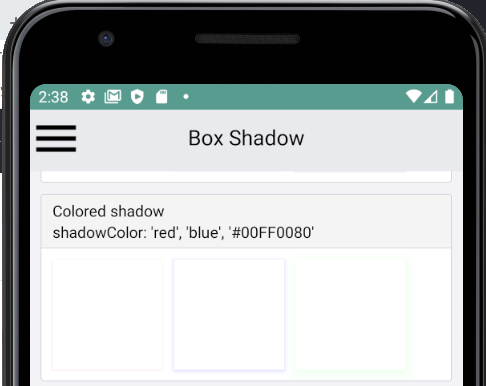
This PR adds support for the `shadowColor` style on Android.
This is possible as of Android P using the `setOutlineAmbientShadowColor` and `setOutlineSpotShadowColor` View methods. The actual rendered color is a multiplication of the color-alpha, shadow-effect and elevation-value.
## Changelog
`[Android] [Added] - Add support for shadowColor on API level >= 28`
Pull Request resolved: https://github.com/facebook/react-native/pull/28650
Test Plan:
- Only execute code on Android P
- Added Android `BoxShadow` tests to RNTester app
Reviewed By: mdvacca
Differential Revision: D21125479
Pulled By: shergin
fbshipit-source-id: 14dcc023977d7a9d304fabcd3c90bcf34482f137
Summary:
After animation has been finished using Native driver there is no final value passed from the native to JS side. This causes a bug from https://github.com/facebook/react-native/issues/28114.

This PR solves this problem in the same way as `react-native-reanimated` library. When detaching it is calling native side to get the last value from Animated node and stores it on the JS side.

Preserving animated value even if animation was using `useNativeDriver: true`
Fixes https://github.com/facebook/react-native/issues/28114

## Changelog

<!-- Help reviewers and the release process by writing your own changelog entry. For an example, see:
https://github.com/facebook/react-native/wiki/Changelog
-->

[Internal] [Fixed] - Save native Animated node value on JS side in detach phase
Pull Request resolved: https://github.com/facebook/react-native/pull/28841

Test Plan: Unit tests for added getValue method passed. Green CI

Reviewed By: mdvacca

Differential Revision: D22211499

Pulled By: JoshuaGross

fbshipit-source-id: 9a3a98a9f9a8536fe2c8764f667cdabe1f6ba82a
Summary:
PlatformColorExample RNTester page crashes when running on platforms other than iOS/Android.
Changed some very minor logic to take into account that platforms other than iOS/Android exist.

## Changelog

[Internal] [Fixed] - PlatformColorExample RNTester page crashes when running on platforms other than iOS/Android.
Pull Request resolved: https://github.com/facebook/react-native/pull/29120

Reviewed By: sahrens

Differential Revision: D22109188

Pulled By: TheSavior

fbshipit-source-id: 853bea0ac4ea5c67f35d89d1a2bf55f5c89823b4
Summary:
Changes dependents of `EmitterSubscription` to instead import the `EventSubscription` type from `EventEmitter.js`.

Changelog:
[Internal]

(Note: this ignores all push blocking failures!)

Reviewed By: cpojer

Differential Revision: D22182309

fbshipit-source-id: 575f4c59248ef50182ddb33911f1e6f3ba88ec07
Summary:
Refs: [0.62 release](https://reactnative.dev/blog/#moving-apple-tv-to-react-native-tvos), https://github.com/facebook/react-native/issues/28706, https://github.com/facebook/react-native/issues/28743

Support for the tvOS with the 0.62 release has been moved out to the `react-native-tvos` package. This PR removes the legacy flag related to the tvOS in the RNTester app examples.

Since Android TV support is still included in the Core I assume that the TV platform check cannot be removed completely.

## Changelog

[Internal] [Removed] - remove 'supportsTVOS' flag from the RNTester examples

## Test Plan

I have used the local working copy of `react-native` repo and test the changes in the RNTester app build from this code. Flow and List checks passed (but there is one, unrelated Prettier issue in the `AlertExample.js` file).
Pull Request resolved: https://github.com/facebook/react-native/pull/29018

Reviewed By: kacieb

Differential Revision: D22109549

Pulled By: TheSavior

fbshipit-source-id: d0f71f3d5f5f89d554972ec194ebf2801386fcff
Summary:
Adds support for the `onProgress` event on `Image`, for Android.

Since Fresco does not provide a progress listener on `ControllerListener`, this uses a forwarding progress indicator `Drawable` to pass along values from `onLevelChange`.

Caveat: The ratio between `loaded` and `total` can be used, but `total` is currently always 10000. It seems that Fresco does not currently expose the content length from the network response headers.

Changelog:
[Android][Added] - Adds support for the `onProgress` event on `Image`

Reviewed By: mdvacca

Differential Revision: D22029915

fbshipit-source-id: 66174b55ed01e1a059c080e2b14415e7d268bc5c
Summary:
Changes the `onLoad` and `onError` events on `Image` to be consistent with each other and with the `ImageSource` type.

Changelog:
[Android][Breaking] - On `Image`, `onLoad` and `onError` event objects will no longer have an extra `uri` property.
[Android][Breaking] - On `Image`, `onLoad` event objects' `source.url` is now renamed to `source.uri`.
[iOS][Breaking] - On `Image`, `onLoad` event objects' `source.url` is now renamed to `source.uri`.

Reviewed By: mdvacca

Differential Revision: D22023565

fbshipit-source-id: 5ea7904c697f87e01118bdb81ed50ab0a5aecdce
Summary:
This diff fixes the position of TextInlineViews when nesting multiple Text.
The root is that we were not taking into consideration LayoutOffset of nested TextViews during the calculation of the nested views.

changelog: [Internal] Internal fix in Fabric

Reviewed By: JoshuaGross

Differential Revision: D21586893

fbshipit-source-id: 55e6ad0cf95222588ffe9185f5e22baea1059448
Summary:
Changelog: [Internal]

ScrollView didn't support centerContent prop. The implementation is copied over from Paper.

I added an example of this prop in RNTester.

Reviewed By: JoshuaGross

Differential Revision: D21548270

fbshipit-source-id: 28f6c8d769c5a6bc1d111b33970a06b95c259132
Summary: Changelog: [Internal] Separate SegmentControl examples into separate file and make them functional based

Reviewed By: mdvacca

Differential Revision: D21475596

fbshipit-source-id: 19165232f2a8edefa66f122944621f93265ff704
Summary:
Our parsers accept these but they are invalid. This fixes them.

Changelog: [Internal]

Reviewed By: yungsters

Differential Revision: D21373812

fbshipit-source-id: 6084757b9f842644fe629ae5e6d85baec611588d
Summary:
Changelog: [Internal]

Previously `setTextAndSelection` was not dirtying layout. This would cause an issue where `setTextAndSelection` causes layout change. For example calling setTextAndSelection with empty string on a multiline auto expanding text input.

I changed one example in TextInputSharedExamples.js, "Live Re-Write (no spaces allowed) and clear" example is now multiline. This allows to test whether `setTextAndSelection` dirties layout. Enter multiline string to to the example text input and press clear. Observe that the text input shrinks to single line height.

Reviewed By: shergin

Differential Revision: D21182990

fbshipit-source-id: de8501ea0b97012cf4cdf8d5f658649139f92da6
Summary:
This change upstreams a small change we did in react-native-windows to allow the RTLExample RNTester page to function correctly on Windows.  The change is part of this Pr:
https://github.com/microsoft/react-native-windows/pull/4683
Currently the direction property is gated behind a check for Platform == 'iOS', which means it only works on iOS.  Windows supports direction = 'rtl' so I've chanced this check to Platform != 'android'.

## Changelog

<!-- Help reviewers and the release process by writing your own changelog entry. For an example, see:
https://github.com/facebook/react-native/wiki/Changelog
-->

[Internal] [Changed] - Changed RTLExample RNTester page to use direction = 'rtl' when Platform is not Android.
Pull Request resolved: https://github.com/facebook/react-native/pull/28742

Test Plan: Confirmed this change works correctly in RNTester on Windows.  Have not confirmed iOS as I don't have Mac hardware.

Differential Revision: D21235579

Pulled By: shergin

fbshipit-source-id: 47ab93c2bcd0dbc8347c6746081ae3c64f88faa5
Summary:
Adds `RootTag` as a valid type for arguments and return types in TurboModules (on both Android and iOS).

This will enable us to change `RootTag` into an opaque type. There are two compelling reasons to do this:

- JavaScript will no longer be able to safely depend on `RootTag` being a number (which means we can change this in the future).
- Call sites using `unstable_RootTagContext` will can get a `RootTag`, but call sites using the legacy `context.rootTag` will not. This means the opaque type will give us a strategy for migrating away from legacy context and eventually making `unstable_RootTagContext` the only way to access `RootTag`.

Changelog:
[Internal]

(Note: this ignores all push blocking failures!)

Reviewed By: RSNara

Differential Revision: D21127170

fbshipit-source-id: baec9d7ad17b2f8c4527f1a84f604fc0d28b97eb
Summary:
Per discussion in https://github.com/react-native-community/releases/issues/186 the iOS `PlatformColor()` function is documented to use the semantic color names provided by the system.   The referenced HIG documentation itself links to the `UIColor` documentation for semantic colors names.   However, these names differ depending on if you are viewing the new Swift API docs or the Objective C docs.   The current Objective C implementation in react-native assumes Objective C UIColor selector names that are suffixed 'Color'.   But in Swift, Apple provides a Swift Extension on UIColor that makes aliases without the the 'Color' suffix and then makes the original selectors invalid presumably via `NS_UNAVAILABLE_SWIFT`.

Since both selector names are valid depending on if you are using Objective C or Swift, let's make both forms be legal for `PlatformColor()`.   In `RCTConvert.m` there is a dictionary of legal selector names.   The code already supports the ability to have names be aliases of other selectors via a RCTSelector metadata key.   The change adds code to the initialization of the map: it iterates over the keys in the map, which are all ObjC style UIColor selectors, and creates aliases by duplicating the entries, creating key names by stripping off the ObjC "Color" suffix, adds the RCTSelector key referring to the original and then appends these new Swift aliases to the map.

## Changelog

[iOS] [Changed] - Allow iOS PlatformColor strings to be ObjC or Swift UIColor selectors
Pull Request resolved: https://github.com/facebook/react-native/pull/28703

Test Plan:
The PlatformColorExample.js is updated to use the new, shorter Swift selector names.   There are still other examples in the same file and in unit tests that exercise the ObjC selector names.

<img width="492" alt="PlatformColor" src="https://user-images.githubusercontent.com/30053638/79809089-89ab7d00-8324-11ea-8a9d-120b92edeedf.png">

Reviewed By: shergin

Differential Revision: D21147404

Pulled By: TheSavior

fbshipit-source-id: 0273ec855e426b3a7ba97a87645859e05bcd4126
Summary:
This PR fixes the drawing of the border rounded edges when the border-radius is small than the border-width. The current implementation capped the possible border-radius making it impossible to set smaller border-radii when using thicker borders. After inspection it was found that the rounded-rect calculation is incorrect.
## Changelog
`[Android] [Fixed] - Fix rounded border-drawing when border-radius is smaller than border-width`
Pull Request resolved: https://github.com/facebook/react-native/pull/28358
Test Plan:
**Faulty situation:**
As you can see, when the border-radius becomes very low, the border is stuck at a minimum value. Only after setting the border-radius fully to 0 is it again rendered correctly.
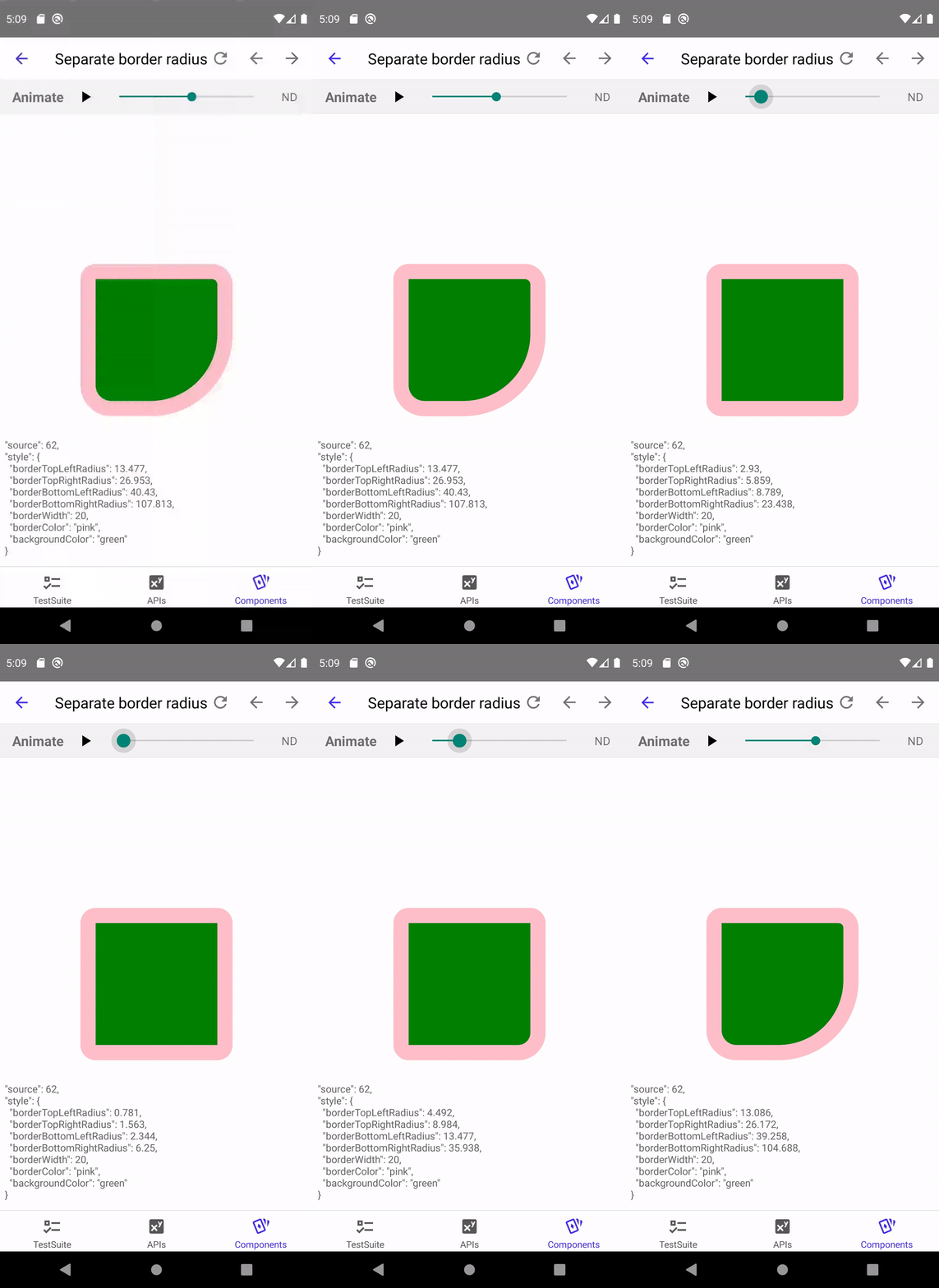
**After the fix:**

Differential Revision: D21124739
Pulled By: shergin
fbshipit-source-id: cefd1776b77b5b9fb335e95fd7fdd7f345579dc4
Summary:
This diff makes the ColorValue export "official" by exporting it from StyleSheet in order to encourage its use in product code.

Changelog: Moved ColorValue export from StyleSheetTypes to StyleSheet

Reviewed By: TheSavior

Differential Revision: D21076969

fbshipit-source-id: 972ef5a1b13bd9f6b7691a279a73168e7ce9d9ab
Summary:
Simple test to see what it looks like when view flattening/unflattening is animated with LayoutAnimations.

Changelog: [Internal] adding another example to LayoutAnimations example

Reviewed By: mdvacca

Differential Revision: D21074805

fbshipit-source-id: 551ed740f0ab5c5adcb19f5c35e932b8983cd108
Summary:
Add more options to the LayoutAnimation example so it's easier to test more features of LayoutAnimations.

1) Add an option to animate reordering of views
2) Make animations slower, so it's easier to see what's going on and easier to trigger race conditions
3) Add options to mutate without animation, to test interrupting existing animations

Changelog: [Internal] Updated Catalyst RNTester LayoutAnimation example with additional options

Reviewed By: mdvacca

Differential Revision: D21050309

fbshipit-source-id: 1daba4fd487693c34a2d40eb39a68c7d03c24f93
Summary:
This change removes the `ColorAndroid` API.   It was added more as a validation tool than as something useful to a developer.   When making the original [PlatformColor PR](https://github.com/facebook/react-native/pull/27908) we felt it was valuable and useful to have working platform specific methods for the two platforms in core to test that the pattern worked in app code (PlatformColorExample.js in RNTester) and that the Flow validation worked, etc.    Practically `PlatformColor()` is more useful to a developer on Android than `ColorAndroid()`.    Now that the construct has served its purpose, this PR removes the `ColorAndroid` function and its related tests and other collateral.

## Changelog

<!-- Help reviewers and the release process by writing your own changelog entry. For an example, see:
https://github.com/facebook/react-native/wiki/Changelog
-->

[Android] [Removed] - Remove ColorAndroid function as it adds no value over PlatfromColor
Pull Request resolved: https://github.com/facebook/react-native/pull/28577

Test Plan: RNTester in both iOS and Android was tested.   Jest tests, Flow checks, Lint checks all pass.

Reviewed By: cpojer

Differential Revision: D20952613

Pulled By: TheSavior

fbshipit-source-id: 7d2cbaa2a347fffe59a1f3a26a210676008fdac0
Summary:
Move CheckBox JS files to FB internal

## Changelog:
[General] [Removed] This diff removes the CheckBox export from React Native. Internally, we are requiring CheckBox directly now and externally people will have to use the community maintained module.

Reviewed By: cpojer

Differential Revision: D20910775

fbshipit-source-id: 809e135dc3f68911ac0a004e6eafa8488f0d5327
Summary:
This gets us on the latest Prettier 2.x:
https://prettier.io/blog/2020/03/21/2.0.0.html

Notably, this adds support for TypeScript 3.8,
which introduces new syntax, such as `import type`.

Reviewed By: zertosh

Differential Revision: D20636268

fbshipit-source-id: fca5833d003804333a05ba16325bbbe0e06d6c8a
Summary:
Fixed some url in the code that was outdated.

## Changelog

[Internal] [Fixed] - Fix outdated url in Image Example of RNTester and comment in StyleSheet Type
Pull Request resolved: https://github.com/facebook/react-native/pull/28285

Test Plan: Url can be accessed, and content displayed makes sense.

Differential Revision: D20464293

Pulled By: shergin

fbshipit-source-id: f0c97f7a95ed2a3d6c396cff6cda0bdaab7f5c35
Summary:
Pull Request resolved: https://github.com/facebook/react-native/pull/28058

I'm taking the first step towards supporting iOS 13 UIScene APIs and modernizing React Native not to assume an app only has a single window. See discussion here: https://github.com/facebook/react-native/issues/25181#issuecomment-505612941

The approach I'm taking is to take advantage of `RootTagContext` and passing it to NativeModules so that they can identify correctly which window they refer to. Here I'm just laying groundwork.

- [x] `Alert` and `ActionSheetIOS` take an optional `rootTag` argument that will cause them to appear on the correct window
- [x] `StatusBar` methods also have `rootTag` argument added, but it's not fully hooked up on the native side — this turns out to require some more work, see: https://github.com/facebook/react-native/issues/25181#issuecomment-506690818
- [x] `setNetworkActivityIndicatorVisible` is deprecated in iOS 13
- [x] `RCTPerfMonitor`, `RCTProfile` no longer assume `UIApplicationDelegate` has a `window` property (no longer the best practice) — they now just render on the key window

Next steps: Add VC-based status bar management (if I get the OK on https://github.com/facebook/react-native/issues/25181#issuecomment-506690818 ), add multiple window demo to RNTester, deprecate Dimensions in favor of a layout context, consider adding hook-based APIs for native modules such as Alert that automatically know which rootTag to pass

## Changelog

[Internal] [Changed] - Modernize Modal to use RootTagContext
[iOS] [Changed] - `Alert`, `ActionSheetIOS`, `StatusBar` methods now take an optional `surface` argument (for future iPadOS 13 support)
[iOS] [Changed] - RCTPresentedViewController now takes a nullable `window` arg
[Internal] [Changed] - Do not assume `UIApplicationDelegate` has a `window` property
Pull Request resolved: https://github.com/facebook/react-native/pull/25425

Test Plan:
- Open RNTester and:
- go to Modal and check if it still works
- Alert → see if works
- ACtionSheetIOS → see if it works
- StatusBar → see if it works
- Share → see if it works

Reviewed By: PeteTheHeat

Differential Revision: D16957751

Pulled By: hramos

fbshipit-source-id: ae2a4478e2e7f8d2be3022c9c4861561ec244a26
Summary:
This Pull Request implements the PlatformColor proposal discussed at https://github.com/react-native-community/discussions-and-proposals/issues/126.   The changes include implementations for iOS and Android as well as a PlatformColorExample page in RNTester.

Every native platform has the concept of system defined colors. Instead of specifying a concrete color value the app developer can choose a system color that varies in appearance depending on a system theme settings such Light or Dark mode, accessibility settings such as a High Contrast mode, and even its context within the app such as the traits of a containing view or window.

The proposal is to add true platform color support to react-native by extending the Flow type `ColorValue` with platform specific color type information for each platform and to provide a convenience function, `PlatformColor()`, for instantiating platform specific ColorValue objects.

`PlatformColor(name [, name ...])` where `name` is a system color name on a given platform.  If `name` does not resolve to a color for any reason, the next `name` in the argument list will be resolved and so on.   If none of the names resolve, a RedBox error occurs.  This allows a latest platform color to be used, but if running on an older platform it will fallback to a previous version.
 The function returns a `ColorValue`.

On iOS the values of `name` is one of the iOS [UI Element](https://developer.apple.com/documentation/uikit/uicolor/ui_element_colors) or [Standard Color](https://developer.apple.com/documentation/uikit/uicolor/standard_colors) names such as `labelColor` or `systemFillColor`.

On Android the `name` values are the same [app resource](https://developer.android.com/guide/topics/resources/providing-resources) path strings that can be expressed in XML:
XML Resource:
`@ [<package_name>:]<resource_type>/<resource_name>`
Style reference from current theme:
`?[<package_name>:][<resource_type>/]<resource_name>`
For example:
- `?android:colorError`
- `?android:attr/colorError`
- `?attr/colorPrimary`
- `?colorPrimaryDark`
- `android:color/holo_purple`
- `color/catalyst_redbox_background`

On iOS another type of system dynamic color can be created using the `IOSDynamicColor({dark: <color>, light:<color>})` method.   The arguments are a tuple containing custom colors for light and dark themes. Such dynamic colors are useful for branding colors or other app specific colors that still respond automatically to system setting changes.

Example: `<View style={{ backgroundColor: IOSDynamicColor({light: 'black', dark: 'white'}) }}/>`

Other platforms could create platform specific functions similar to `IOSDynamicColor` per the needs of those platforms.   For example, macOS has a similar dynamic color type that could be implemented via a `MacDynamicColor`.   On Windows custom brushes that tint or otherwise modify a system brush could be created using a platform specific method.

## Changelog

[General] [Added] - Added PlatformColor implementations for iOS and Android
Pull Request resolved: https://github.com/facebook/react-native/pull/27908

Test Plan:
The changes have been tested using the RNTester test app for iOS and Android.   On iOS a set of XCTestCase's were added to the Unit Tests.

<img width="924" alt="PlatformColor-ios-android" src="https://user-images.githubusercontent.com/30053638/73472497-ff183a80-433f-11ea-90d8-2b04338bbe79.png">

In addition `PlatformColor` support has been added to other out-of-tree platforms such as macOS and Windows has been implemented using these changes:

react-native for macOS branch: https://github.com/microsoft/react-native/compare/master...tom-un:tomun/platformcolors

react-native for Windows branch: https://github.com/microsoft/react-native-windows/compare/master...tom-un:tomun/platformcolors

iOS
|Light|Dark|
|{F229354502}|{F229354515}|

Android
|Light|Dark|
|{F230114392}|{F230114490}|

{F230122700}

Reviewed By: hramos

Differential Revision: D19837753

Pulled By: TheSavior

fbshipit-source-id: 82ca70d40802f3b24591bfd4b94b61f3c38ba829
Summary:
We will soon be enforcing that flow suppressions will only apply when on an error's primary location ([post](https://fb.workplace.com/groups/179614562644215/permalink/559286354677032/)). This diff uses the codemod created in D20008770 to move all suppression comments to their primary locations in the  `xplat/js` flow root, and deletes suppression comments that are not on any primary locations.

This diff was generated with:
```
~/fbsource/fbcode/flow/packages/flow-dev-tools/bin/tool suppression-primary-locations --json-file ~/www/errors.json  ~/fbsource/xplat/js
hg st -n | xargs grep -l -P '@(partially-)?generated' | xargs hg revert
hg st -n | xargs grep -l 'format' | xargs prettier --write
```

Changelog: [Internal]

bypass-lint

Reviewed By: dsainati1

Differential Revision: D20122544

fbshipit-source-id: d94e409aadb18bb399a1ddbf9f3f2494fe4fb54c
Summary:
We recently updated React Native's docs site to have its own domain reactnative.dev and needed to update the URLs in the source code

CHANGELOG:
[INTERNAL]

Reviewed By: hramos

Differential Revision: D20072842

fbshipit-source-id: 1970d9214c872a6e7abf697d99f8f5360b3b308e
Summary:
*Pressable* is a component which is intended to replace the Touchable* components such as *TouchableWithoutFeedback* and *TouchableOpacity*. The motivation is to make it easier to create custom visual touch feedback so that React Native apps are not easily identified by the “signature opacity fade” touch feedback.

We see this component as eventually deprecating all of the existing Touchable components.

Changelog:
[Added][General] New <Pressable> Component to make it easier to create touchable elements

Reviewed By: yungsters

Differential Revision: D19674480

fbshipit-source-id: 765d657f023caea459f02da25376e4d5a2efff8b
Summary:
motivation: there are cases where one'd like to control the radius of the ripple effect that's present on TouchableNativeFeedback - in my case, I want to make sure that both icons and text have the same ripple appearance, but that's currently not possible as far as I can tell.
Currently (afaik) the only way to set (upper) ripple limits is by specifying width, height and border radius ( + `overflow: hidden`), and this works well for icons which can usually be bounded by a square, but not for text which can have rectangular shape.
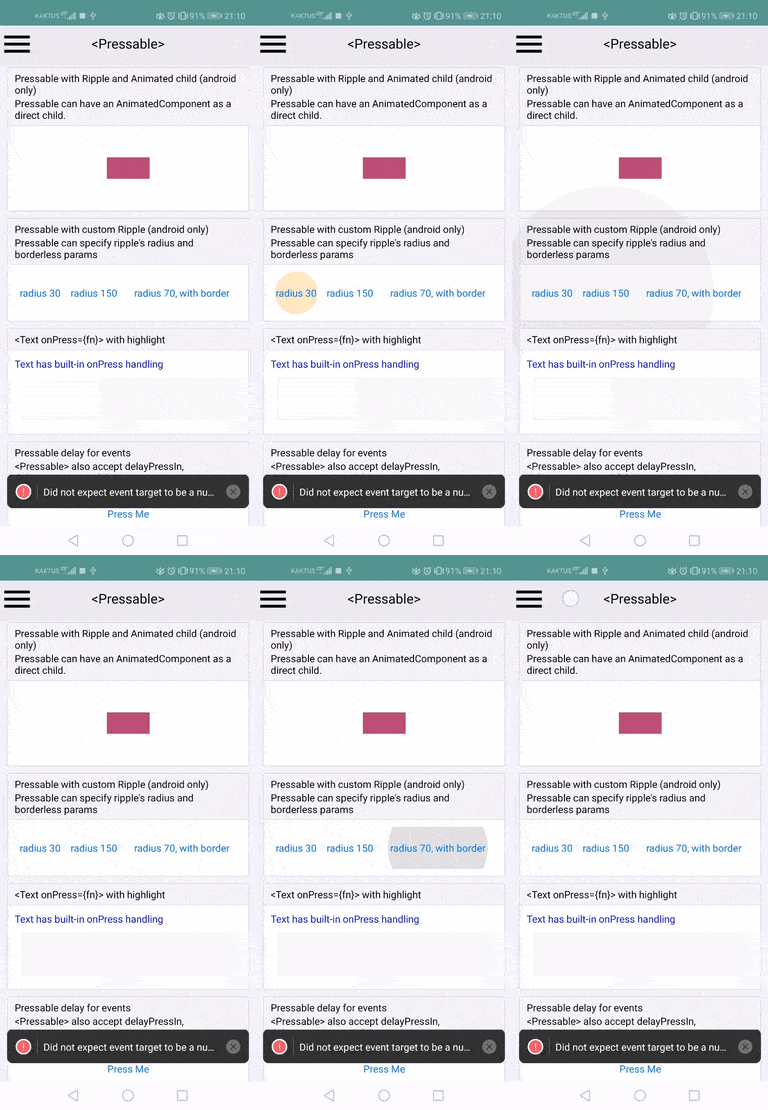
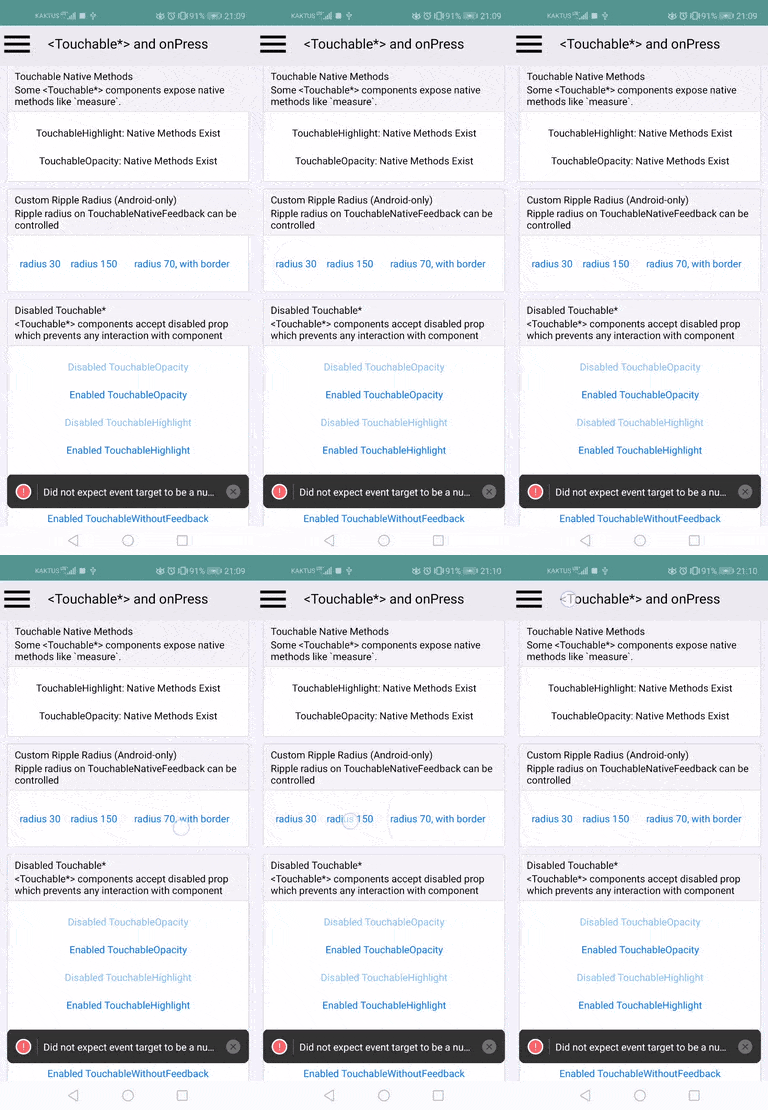
This PR adds `rippleRadius` parameter to `SelectableBackground()`, `SelectableBackgroundBorderless()` and `Ripple()` static functions present on `TouchableNativeFeedback`. It can make the ripple smaller but also larger. The result looks like this:
added to RNTester:

difference from the other ripples:

I'm ofc open to changing the api if needed, but I'm not sure there's much space for manoeuvring. While I was at it, I did a slight refactor of the class into several smaller, more focused methods.
It's possible that in some cases, this might help to work around this issue https://github.com/facebook/react-native/issues/6480.
## Changelog
[Android] [Added] - allow setting custom ripple radius on TouchableNativeFeedback
Pull Request resolved: https://github.com/facebook/react-native/pull/28009
Test Plan: I tested this locally using RNTester
Reviewed By: TheSavior
Differential Revision: D20004509
Pulled By: mdvacca
fbshipit-source-id: 10de1754d54c17878f36a3859705c1188f15c2a2
 Ankit Tiwari
 Tim Yung
 Hein Rutjes
 Valentin Shergin
 TMaszko
 fabriziobertoglio1987
 Andrew Coates (REDMOND)
 simek
simek
 lukewalczak
 David Vacca
 Samuel Susla
 Manvir Singh
 Yuanzhe Bian
 Christoph Nakazawa
 Keith Melmon
 Tom Underhill
 Zack Argyle
 Joshua Gross
 Vojtech Novak
 Lauren Tan
 George Zahariev
 Marshall Roch
 Héctor Ramos
 Pavlos Vinieratos
 Michael Bolin
 Jesse Katsumata
 Alec Larson
 Logan Daniels
 radex
radex
 Hans Halverson
 Rachel Nabors
 Pieter De Baets
 Eli White