Summary:
This should fix https://github.com/facebook/react-native/issues/29082 and https://github.com/facebook/react-native/issues/10471

Currently when an alert is being shown while a modal is being dismissed, it causes the alert not to show and In some cases it causes the UI to become unresponsive. I think this was caused by using RCTPresentedViewController to try and display the Alert the currently presented view. The View the Alert was going to be shown on is dismissed and the modal doesn't show. I implemented a new RCTAlertController to show the alert on top of the view, the modal being dismissed should now not interfere with the alert being shown.

## Changelog

[iOS] [Fixed] - Fixed showing Alert while closing a Modal

Pull Request resolved: https://github.com/facebook/react-native/pull/29295

Test Plan:
To recreate the bug:

1. npx react-native init Test --version 0.63.0-rc.1
2. Paste the following code into App.js

```javascript
/**
 * Sample React Native App
 * https://github.com/facebook/react-native
 *
 * format
 * flow strict-local
 */

import React from 'react';
import {
  SafeAreaView,
  StyleSheet,
  View,
  Text,
  StatusBar,
  Modal,
  Alert
} from 'react-native';

const App: () => React$Node = () => {
  const [visible, setVisible] = React.useState(false)

  const onShowModal = () => {
    setVisible(true)
  }

  onCloseBroken = () => {
    setVisible(false)
    Alert.alert('Alert', 'Alert won\'t show')
  }

  onCloseWorking = () => {
    setVisible(false)
    setTimeout(() => Alert.alert('Alert', 'Works fine'), 10)
  }

  return (
    <>
      <StatusBar barStyle="dark-content" />
      <SafeAreaView style={styles.container}>
        <Text onPress={onShowModal}>Show modal</Text>
      </SafeAreaView>
      <Modal animationType="fade" visible={visible} onRequestClose={onCloseWorking} >
        <View style={styles.container}>
          <Text onPress={onCloseBroken}>Close modal immediately</Text>
          <Text onPress={onCloseWorking}>Close modal with delay</Text>
        </View>
      </Modal>
    </>
  )
}

const styles = StyleSheet.create({
  container: {
    flex: 1,
    alignItems: 'center',
    justifyContent: 'space-around',
  },
})

export default App

```

3. cd Test && npx react-native run-ios
4. Show the modal and click the `Close modal immediately` button

The first button doesn't show the alert, the second does because it gets rendered after the modal view is dismissed. After this commit, the alert always shows on top of every view properly. You can test by pointing the react native package to my branch by modifying the package json file like this

```
    "react-native": "https://github.com/devon94/react-native.git#fix-ios-modal"
```

I was unable to reproduce the case where it causes the UI to be responsive in the test app but was able to reproduce it in our react native app at work. I can provide a video later if needed but the code is too complex to simplify into a test case.

Reviewed By: sammy-SC

Differential Revision: D22783371

Pulled By: PeteTheHeat

fbshipit-source-id: 3e359645c610074ea855ee5686c59bdb9d6b696b

# Conflicts:
#	RNTester/Podfile.lock
Summary:
The current Flipper version included in new React Native is quite old, causing some bugs to be present which have long been solved, such as freezing the UI after inspecting it.
Fixes

This fixes https://github.com/facebook/react-native/issues/29492 /
https://github.com/facebook/flipper/issues/1399

## Changelog

<!-- Help reviewers and the release process by writing your own changelog entry. For an example, see:
https://github.com/facebook/react-native/wiki/Changelog
-->

[general][changed] - Update Flipper to 0.54

Pull Request resolved: https://github.com/facebook/react-native/pull/29787

Test Plan:
Updated the RN 0.63.2 based test project https://github.com/mweststrate/flipper-issue-1399-repo with `use_flipper!('Flipper' => '0.54.0')` (in `ios/Podspec`) / `FLIPPER_VERSION=0.52.1` in `gradle.properties` in the test project https://github.com/mweststrate/flipper-issue-1399-repo and verified that everything builds and connects correctly, and that the bug is no longer present.

Tried to run RN-tester project in this repo. For iOS this succeeded, on Android I got a build error:

```
make: Leaving directory '/Users/mweststrate/Desktop/react-native/ReactAndroid/src/main/jni/react/jni'
make: Entering directory '/Users/mweststrate/Desktop/react-native/ReactAndroid/src/main/jni/react/jni'
fcntl(): Bad file descriptor
[armeabi-v7a] Compile++ thumb: folly_json <= FileUtil.cpp
/Users/mweststrate/Desktop/react-native/ReactAndroid/build/third-party-ndk/folly/folly/FileUtil.cpp:37:14: error: no matching function for call to 'wrapNoInt'
make: Leaving directory '/Users/mweststrate/Desktop/react-native/ReactAndroid/src/main/jni/react/jni'
  return int(wrapNoInt(open, name, flags, mode));
             ^~~~~~~~~
/Users/mweststrate/Desktop/react-native/ReactAndroid/build/third-party-ndk/folly/folly/detail/FileUtilDetail.h:34:9: note: candidate template ignored: couldn't infer template argument 'F'
ssize_t wrapNoInt(F f, Args... args) {
        ^
1 error generated.
make: *** [/opt/android_sdk/ndk/21.3.6528147/build/core/build-binary.mk:478: /Users/mweststrate/Desktop/react-native/ReactAndroid/build/tmp/buildReactNdkLib/local/armeabi-v7a/objs/folly_json/folly/FileUtil.o] Error 1
make: *** Waiting for unfinished jobs....
fcntl(): Bad file descriptor
make: Entering directory '/Users/mweststrate/Desktop/react-native/ReactAndroid/src/main/jni/react/jni'
[armeabi-v7a] Compile++ thumb: folly_json <= Demangle.cpp
```

No idea if it is related. I guess not since without making the change I got the same error.

Reviewed By: mweststrate

Differential Revision: D23767388

Pulled By: fkgozali

fbshipit-source-id: 35f0d3ddec41942f5bbc96cb391975d84729ef5e

# Conflicts:
#	RNTester/README.md
#	packages/rn-tester/Podfile.lock
Summary:
Changelog: [Internal]

Previously `setTextAndSelection` was not dirtying layout. This would cause an issue where `setTextAndSelection` causes layout change. For example calling setTextAndSelection with empty string on a multiline auto expanding text input.

I changed one example in TextInputSharedExamples.js, "Live Re-Write (no spaces allowed) and clear" example is now multiline. This allows to test whether `setTextAndSelection` dirties layout. Enter multiline string to to the example text input and press clear. Observe that the text input shrinks to single line height.

Reviewed By: shergin

Differential Revision: D21182990

fbshipit-source-id: de8501ea0b97012cf4cdf8d5f658649139f92da6
Summary:
This PR fixes the drawing of the border rounded edges when the border-radius is small than the border-width. The current implementation capped the possible border-radius making it impossible to set smaller border-radii when using thicker borders. After inspection it was found that the rounded-rect calculation is incorrect.
## Changelog
`[Android] [Fixed] - Fix rounded border-drawing when border-radius is smaller than border-width`
Pull Request resolved: https://github.com/facebook/react-native/pull/28358
Test Plan:
**Faulty situation:**
As you can see, when the border-radius becomes very low, the border is stuck at a minimum value. Only after setting the border-radius fully to 0 is it again rendered correctly.
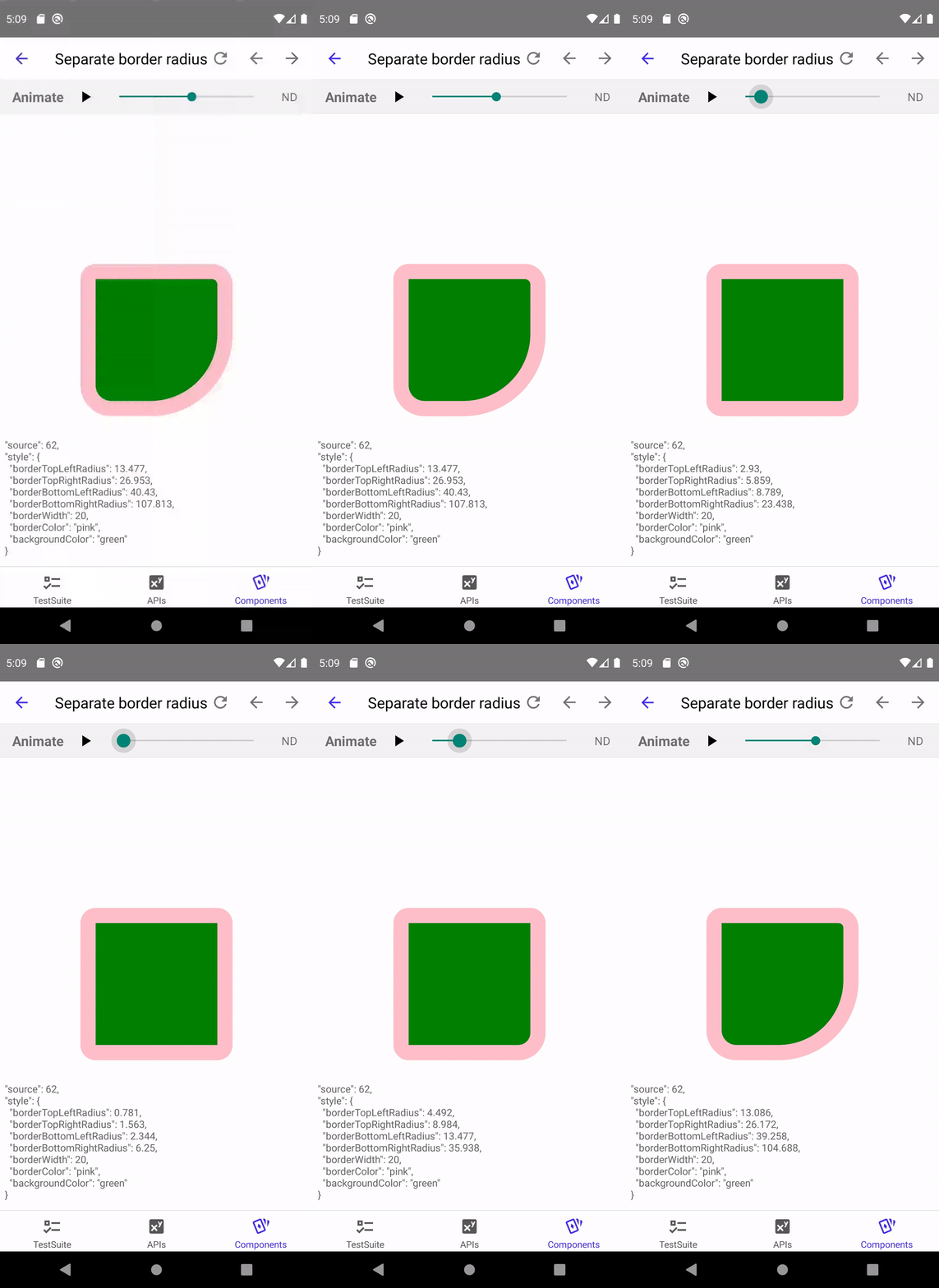
**After the fix:**

Differential Revision: D21124739
Pulled By: shergin
fbshipit-source-id: cefd1776b77b5b9fb335e95fd7fdd7f345579dc4
Summary:
> Starting April 30, 2020, all apps submitted to the App Store must use an Xcode storyboard to provide the app’s launch screen and all iPhone apps must support all iPhone screens.

Updated iOS Launch screen as per [App Store policy change](https://developer.apple.com/news/?id=03042020b).

Community discussion: https://github.com/react-native-community/discussions-and-proposals/issues/209

## Changelog

Changed iOS Launch Screen from a `xib` to `storyboard`. The `LaunchScreen.xib` file has been replaced with `LaunchScreen.storyboard`. Xcode automatically picks up the new Launch Screen no additional change is required.

[iOS] [Deleted] - Deleted LaunchScreen.xib
[iOS] [Added] - Added LaunchScreen.storyboard
Pull Request resolved: https://github.com/facebook/react-native/pull/28239

Test Plan: Build the Xcode project under `template/iOS` and verify that the new launch screen is identical to the previous one.

Reviewed By: cpojer

Differential Revision: D20408892

Pulled By: hramos

fbshipit-source-id: 9c38df58d1304088a23f3d73e0fbd87675804f1a
Summary:
When self is nil, this may crash in RCTUIImageViewAnimated.m.

```
_displayLink = [CADisplayLink displayLinkWithTarget:[RCTWeakProxy weakProxyWithTarget:self] selector:selector(displayDidRefresh:)];
```

Replace `RCTWeakProxy` with a concrete class `RCTDisplayWeakRefreshable` that has the displayDidRefresh method, that calls the displayDidRefresh method in its weak target.

https://github.com/facebook/react-native/pull/28070#issuecomment-619295254

Changelog: [iOS] [Fixed] -  Fix Animated image crash when CADisplayLink target in RCTWeakProxy is nil

Reviewed By: shergin

Differential Revision: D21419385

fbshipit-source-id: da7c3c38f81ea54f633da7f59359e07680ea2faf
Summary:
Per discussion in https://github.com/react-native-community/releases/issues/186 the iOS `PlatformColor()` function is documented to use the semantic color names provided by the system.   The referenced HIG documentation itself links to the `UIColor` documentation for semantic colors names.   However, these names differ depending on if you are viewing the new Swift API docs or the Objective C docs.   The current Objective C implementation in react-native assumes Objective C UIColor selector names that are suffixed 'Color'.   But in Swift, Apple provides a Swift Extension on UIColor that makes aliases without the the 'Color' suffix and then makes the original selectors invalid presumably via `NS_UNAVAILABLE_SWIFT`.

Since both selector names are valid depending on if you are using Objective C or Swift, let's make both forms be legal for `PlatformColor()`.   In `RCTConvert.m` there is a dictionary of legal selector names.   The code already supports the ability to have names be aliases of other selectors via a RCTSelector metadata key.   The change adds code to the initialization of the map: it iterates over the keys in the map, which are all ObjC style UIColor selectors, and creates aliases by duplicating the entries, creating key names by stripping off the ObjC "Color" suffix, adds the RCTSelector key referring to the original and then appends these new Swift aliases to the map.

## Changelog

[iOS] [Changed] - Allow iOS PlatformColor strings to be ObjC or Swift UIColor selectors
Pull Request resolved: https://github.com/facebook/react-native/pull/28703

Test Plan:
The PlatformColorExample.js is updated to use the new, shorter Swift selector names.   There are still other examples in the same file and in unit tests that exercise the ObjC selector names.

<img width="492" alt="PlatformColor" src="https://user-images.githubusercontent.com/30053638/79809089-89ab7d00-8324-11ea-8a9d-120b92edeedf.png">

Reviewed By: shergin

Differential Revision: D21147404

Pulled By: TheSavior

fbshipit-source-id: 0273ec855e426b3a7ba97a87645859e05bcd4126
Summary:
Use the latest published release of hermes-engine. Update RN to invoke `hermesc` instead of `hermes`.

Changelog: [Android] [Changed] - Upgraded to Hermes 0.5.0

allow-large-files

Reviewed By: mhorowitz

Differential Revision: D20998564

fbshipit-source-id: 4824e273bcb044029a5a7e9379f168d3da47da50
Summary:
## Problem
For some reason, D20831545 broke the `use_frameworks!` build of RNTester.

## Building RNTester
```
pushd ~/fbsource/xplat/js/react-native-github/RNTester && USE_FRAMEWORKS=1 pod install && open RNTesterPods.xcworkspace && popd;
```

## Error
I built RNTester locally, and the error was this:

```
Undefined symbols for architecture x86_64:
  "facebook::jsi::HostObject::set(facebook::jsi::Runtime&, facebook::jsi::PropNameID const&, facebook::jsi::Value const&)", referenced from:
      vtable for facebook::react::ObjCTurboModule in RCTImageEditingManager.o
      vtable for facebook::react::ObjCTurboModule in RCTImageLoader.o
      vtable for facebook::react::ObjCTurboModule in RCTImageStoreManager.o
  "facebook::jsi::HostObject::getPropertyNames(facebook::jsi::Runtime&)", referenced from:
      vtable for facebook::react::ObjCTurboModule in RCTImageEditingManager.o
      vtable for facebook::react::ObjCTurboModule in RCTImageLoader.o
      vtable for facebook::react::ObjCTurboModule in RCTImageStoreManager.o
ld: symbol(s) not found for architecture x86_64
```

## Fix
It looked like libraries that depend on "ReactCommon/turbomodule/core" weren't linking to JSI correctly. So, I modified all such Podspecs to also depend on "React-jsi":

```
arc rfr '  s.dependency "ReactCommon/turbomodule/core", version' '  s.dependency "ReactCommon/turbomodule/core", version\n  s.dependency "React-jsi", version'
```

This seemed to do the trick. In buck, we'd fix this problem using exported_dependencies. I skimmed through cocoapods, and couldn't find such a configuration option there. So, I guess this will have to do?

Changelog:
[iOS][Fixed] - Fix Cocoapods builds of RNTester

Reviewed By: fkgozali, hramos

Differential Revision: D20905465

fbshipit-source-id: 60218c8274ec165752a428f2a7a9a546607c8fec
Summary:
Might be worthwhile to just kill this method instead, since we're having all NativeModules provide their TurboModule jsi::HostObjects. But I'll leave that decision to a later time.

Changelog: [Internal]

Reviewed By: fkgozali

Differential Revision: D20809201

fbshipit-source-id: ee73d4b5454a76460832a54f9b864841e5b2b9c0
Summary:
## Context
For now, assume TurboModules doesn't exist.

**What happens when we call an async NativeModule method?**
Everytime JS calls an async NativeModule method, we don't immediately execute it. The legacy infra pushes the call into some queue managed by `MessageQueue.js`. This queue is "flushed" or "emptied" by the following events:
- **Flushed:** A C++ -> JS call. NativeModule async methods can called with an `onSuccess` and/or `onFail` callback(s). Calling `NativeToJsBridge::invokeCallback` to invoke one of these callbacks is one way for ObjC++/C++/Java to call into JS. Another way is via JSModule method calls, which are initiated by `NativeToJsBridge::callFunction`.
- **Flushed:** When `JSIExecutor::flush` is called. Since TurboModules don't exist, this only happens when we call `JSIExecutor::loadApplicationScript`.
- **Emptied:** When more than 5 ms have passed, and the queue hasn't been flushed/emptied, on the next async NativeModule method call, we add to the queue. Afterwards, we empty it, and invoke all the NativeModule method calls.

**So, what's the difference between flushed and emptied?**
> Note: These are two terms I just made up, but the distinction is important.

If the queue was "flushed", and it contained at least one NativeModule method call, `JsToNativeBridge` dispatches the `onBatchComplete` event. On Android, the UIManager module is the only module that listens to this event. This `onBatchComplete` event doesn't fire if the queue was "emptied".

**Why does any of this matter?**
1. TurboModules exist.
2. We need the TurboModules infra to have `JsToNativeBridge` dispatch `onBatchComplete`, which depends on:
   - **Problem 1:** The queue being flushed on calls into JS from Java/C++/ObjC++.
   - **Problem 2:** There being queued up NativeModule async method calls when the queue is flushed.

In D14656466, fkgozali fixed Problem 1 by making every C++/Java/Obj -> JS call from TurboModules also execute `JSIExecutor::flush()`. This means that, with TurboModules, we flush the NativeModule async method call queue as often as we do without TurboModules. So far, so good. However, we still have one big problem: As we convert more NativeModules to TurboModules, the average size of the queue of NativeModule method calls will become smaller and smaller, because more NativeModule method calls will be TurboModule method calls. This queue will more often be empty than not. Therefore, we'll end up dispatching the `onBatchComplete` event less often with TurboModules enabled. So, somehow, when we're about to flush the NativeModule method call queue, we need `JsToNativeBridge` to understand that we've executed TurboModule method calls in the batch. These calls would have normally been queued, which would have led the queue size to be non-zero. So if, during a batch, some TurboModule async method calls were executed, `JsToNativeBridge` should dispatch `onBatchComplete`.

**So, what does this diff do?**
1. Make `Instance` responsible for creating the JS `CallInvoker`.
2. Make `NativeToJsBridge` responsible for creating the native `CallInvoker`. `Instance` calls into `NativeToJsBridge` to get  the native `CallInvoker`.
3. Hook up `CatalystInstanceImpl`, the Android bridge, with the new JS `CallInvoker`, and the new native `CallInvoker`. This fixes `onBatchComplete` on Android. iOS work is pending.

Changelog:
[Android][Fixed] - Ensure `onBatchComplete` is dispatched correctly with TurboModules

Reviewed By: mdvacca

Differential Revision: D20717931

fbshipit-source-id: bc3ccbd6c135b7f084edbc6ddb4d1e3c0c7e0875
Summary:
motivation is following - the RNTester app is imho the best place to try out any changes that a contributor would make, yet it is not directly mentioned in the contributor guide. This fixes it.

## Changelog

[Internal] - Docs
Pull Request resolved: https://github.com/facebook/react-native/pull/28042

Test Plan: not necessary

Reviewed By: TheSavior

Differential Revision: D20401260

Pulled By: hramos

fbshipit-source-id: 01c1b7dff56b59909c94b2feb609650f0baba1a9
Summary:
This fix aims to address the issue when bundling an Android app for release and getting the error exhibited in https://github.com/facebook/react-native/issues/28002 which I also encountered myself.

The config was changed sometime in November 2019 (as part of https://github.com/facebook/react-native/issues/26940, commit https://github.com/facebook/react-native/commit/a3b08048674e324dbe1f0ca816f35607e9e06a2f) to be very opinionated when it comes to the use of `npx` which Gradle itself cannot find anyway (I have `npx` installed globally and it didn't pick it up).

Another issue that the use of `npx` creates is that Gradle should only ever use the currently installed react-native cli rather than a (possibly) higher version which may not always have backward compatibility.

The proposed change simply throws a more descriptive error rather than defaulting to a tool which may or may not exist on the machine, be it CI or a development environment. I've also modified the RNTester app to reflect the correct config implementation relative to the RNTester app itself.

In real projects, the config inside `android/app/build.gradle` should look similar to the following snippet:

```
project.ext.react = [
  cliPath: "$rootDir/../node_modules/react-native/cli.js",
  entryFile: "index.js"
];
```

## Changelog
[Android] [Fixed] - Gradle release config
Pull Request resolved: https://github.com/facebook/react-native/pull/28415

Test Plan:
- [x] Successfully bundled an Android release build with correct config
- [x] Works with RNTester app

Reviewed By: mdvacca

Differential Revision: D20714372

Pulled By: hramos

fbshipit-source-id: 4d66139249c6f840582a71a48c64e6a6595f7af0
Summary:
This gets us on the latest Prettier 2.x:
https://prettier.io/blog/2020/03/21/2.0.0.html

Notably, this adds support for TypeScript 3.8,
which introduces new syntax, such as `import type`.

Reviewed By: zertosh

Differential Revision: D20636268

fbshipit-source-id: fca5833d003804333a05ba16325bbbe0e06d6c8a
Summary:
Just includes the manual changes to get the perf logger moved to the ObjCTurboModule constructor.

Changelog: [Internal]

Reviewed By: fkgozali

Differential Revision: D20498443

fbshipit-source-id: e607588f47ccc8ae199cd97043b09dfaff7a72dd
Summary:
Fixed some url in the code that was outdated.

## Changelog

[Internal] [Fixed] - Fix outdated url in Image Example of RNTester and comment in StyleSheet Type
Pull Request resolved: https://github.com/facebook/react-native/pull/28285

Test Plan: Url can be accessed, and content displayed makes sense.

Differential Revision: D20464293

Pulled By: shergin

fbshipit-source-id: f0c97f7a95ed2a3d6c396cff6cda0bdaab7f5c35
Summary:
Upgrades Flipper to 0.33.1 for both the Android template and RNTester.

## Changelog

[Android] [Changed] - Upgrade Flipper dependency to 0.33.1
Pull Request resolved: https://github.com/facebook/react-native/pull/28275

Test Plan: Still trying to figure out how to get my Gradle setup working again. Until then, CI.

Reviewed By: cpojer, mweststrate

Differential Revision: D20369480

Pulled By: TheSavior

fbshipit-source-id: 048c944819168a352214349f6a83407a587479c9
Summary:
{emoji:26a0} This is a follow up to https://github.com/facebook/react-native/issues/25425 -- which isn't merged yet… See https://github.com/facebook/react-native/pull/25919/files/2a286257a6553a80a34e2b1f1ad94fc7bae36ea3..125aedbedc234c65c8d1b2133b79e926ad6cf145 for actual diff

Currently, StatusBar native module manages the status bar on iOS globally, using `UIApplication.` APIs. This is bad because:

- those APIs have been deprecated for 4 years
- Apple really, really wants you to have an explicitly defined view controller, and control the status bar there
- it [breaks external native components](https://github.com/facebook/react-native/issues/25181#issuecomment-506792819)
- it's [not compatible with iPadOS 13 multi window support](https://github.com/facebook/react-native/issues/25181#issuecomment-506690818)

for those reasons I we should transition towards view controller-based status bar management.

With that, there is a need to introduce a default React Native root view controller, so I added `RCTRootViewController`. Using it is completely opt-in and there is no breaking change here. However I believe this should be a part of the template for new RN iOS apps.

Additionally, I added `RCTRootViewControllerProtocol` with hooks needed for RCTStatusBarManager to control the status bar. This means apps that want to have total control over their view controller can still opt in to react native VC-based status bar by conforming their root view controller to this protocol.

## Changelog

[iOS] [Added] - Added `RCTRootViewController` and `RCTRootViewControllerProtocol`
[iOS] [Fixed] - `UIViewControllerBasedStatusBarAppearance=YES` no longer triggers an error as long as you use `RCTRootViewController`
[iOS] [Fixed] - Status bar style is now correctly changed in multi-window iPadOS 13 apps if you use `RCTRootViewController` and set `UIViewControllerBasedStatusBarAppearance=YES`
Pull Request resolved: https://github.com/facebook/react-native/pull/25919

Test Plan: - Open RNTester → StatusBar → and check that no features broke

Reviewed By: fkgozali

Differential Revision: D16957766

Pulled By: hramos

fbshipit-source-id: 9ae1384ee20a06933053c4404b8237810f1e7c2c
Summary:
Pull Request resolved: https://github.com/facebook/react-native/pull/28058

I'm taking the first step towards supporting iOS 13 UIScene APIs and modernizing React Native not to assume an app only has a single window. See discussion here: https://github.com/facebook/react-native/issues/25181#issuecomment-505612941

The approach I'm taking is to take advantage of `RootTagContext` and passing it to NativeModules so that they can identify correctly which window they refer to. Here I'm just laying groundwork.

- [x] `Alert` and `ActionSheetIOS` take an optional `rootTag` argument that will cause them to appear on the correct window
- [x] `StatusBar` methods also have `rootTag` argument added, but it's not fully hooked up on the native side — this turns out to require some more work, see: https://github.com/facebook/react-native/issues/25181#issuecomment-506690818
- [x] `setNetworkActivityIndicatorVisible` is deprecated in iOS 13
- [x] `RCTPerfMonitor`, `RCTProfile` no longer assume `UIApplicationDelegate` has a `window` property (no longer the best practice) — they now just render on the key window

Next steps: Add VC-based status bar management (if I get the OK on https://github.com/facebook/react-native/issues/25181#issuecomment-506690818 ), add multiple window demo to RNTester, deprecate Dimensions in favor of a layout context, consider adding hook-based APIs for native modules such as Alert that automatically know which rootTag to pass

## Changelog

[Internal] [Changed] - Modernize Modal to use RootTagContext
[iOS] [Changed] - `Alert`, `ActionSheetIOS`, `StatusBar` methods now take an optional `surface` argument (for future iPadOS 13 support)
[iOS] [Changed] - RCTPresentedViewController now takes a nullable `window` arg
[Internal] [Changed] - Do not assume `UIApplicationDelegate` has a `window` property
Pull Request resolved: https://github.com/facebook/react-native/pull/25425

Test Plan:
- Open RNTester and:
- go to Modal and check if it still works
- Alert → see if works
- ACtionSheetIOS → see if it works
- StatusBar → see if it works
- Share → see if it works

Reviewed By: PeteTheHeat

Differential Revision: D16957751

Pulled By: hramos

fbshipit-source-id: ae2a4478e2e7f8d2be3022c9c4861561ec244a26
Summary:
This Pull Request implements the PlatformColor proposal discussed at https://github.com/react-native-community/discussions-and-proposals/issues/126.   The changes include implementations for iOS and Android as well as a PlatformColorExample page in RNTester.

Every native platform has the concept of system defined colors. Instead of specifying a concrete color value the app developer can choose a system color that varies in appearance depending on a system theme settings such Light or Dark mode, accessibility settings such as a High Contrast mode, and even its context within the app such as the traits of a containing view or window.

The proposal is to add true platform color support to react-native by extending the Flow type `ColorValue` with platform specific color type information for each platform and to provide a convenience function, `PlatformColor()`, for instantiating platform specific ColorValue objects.

`PlatformColor(name [, name ...])` where `name` is a system color name on a given platform.  If `name` does not resolve to a color for any reason, the next `name` in the argument list will be resolved and so on.   If none of the names resolve, a RedBox error occurs.  This allows a latest platform color to be used, but if running on an older platform it will fallback to a previous version.
 The function returns a `ColorValue`.

On iOS the values of `name` is one of the iOS [UI Element](https://developer.apple.com/documentation/uikit/uicolor/ui_element_colors) or [Standard Color](https://developer.apple.com/documentation/uikit/uicolor/standard_colors) names such as `labelColor` or `systemFillColor`.

On Android the `name` values are the same [app resource](https://developer.android.com/guide/topics/resources/providing-resources) path strings that can be expressed in XML:
XML Resource:
`@ [<package_name>:]<resource_type>/<resource_name>`
Style reference from current theme:
`?[<package_name>:][<resource_type>/]<resource_name>`
For example:
- `?android:colorError`
- `?android:attr/colorError`
- `?attr/colorPrimary`
- `?colorPrimaryDark`
- `android:color/holo_purple`
- `color/catalyst_redbox_background`

On iOS another type of system dynamic color can be created using the `IOSDynamicColor({dark: <color>, light:<color>})` method.   The arguments are a tuple containing custom colors for light and dark themes. Such dynamic colors are useful for branding colors or other app specific colors that still respond automatically to system setting changes.

Example: `<View style={{ backgroundColor: IOSDynamicColor({light: 'black', dark: 'white'}) }}/>`

Other platforms could create platform specific functions similar to `IOSDynamicColor` per the needs of those platforms.   For example, macOS has a similar dynamic color type that could be implemented via a `MacDynamicColor`.   On Windows custom brushes that tint or otherwise modify a system brush could be created using a platform specific method.

## Changelog

[General] [Added] - Added PlatformColor implementations for iOS and Android
Pull Request resolved: https://github.com/facebook/react-native/pull/27908

Test Plan:
The changes have been tested using the RNTester test app for iOS and Android.   On iOS a set of XCTestCase's were added to the Unit Tests.

<img width="924" alt="PlatformColor-ios-android" src="https://user-images.githubusercontent.com/30053638/73472497-ff183a80-433f-11ea-90d8-2b04338bbe79.png">

In addition `PlatformColor` support has been added to other out-of-tree platforms such as macOS and Windows has been implemented using these changes:

react-native for macOS branch: https://github.com/microsoft/react-native/compare/master...tom-un:tomun/platformcolors

react-native for Windows branch: https://github.com/microsoft/react-native-windows/compare/master...tom-un:tomun/platformcolors

iOS
|Light|Dark|
|{F229354502}|{F229354515}|

Android
|Light|Dark|
|{F230114392}|{F230114490}|

{F230122700}

Reviewed By: hramos

Differential Revision: D19837753

Pulled By: TheSavior

fbshipit-source-id: 82ca70d40802f3b24591bfd4b94b61f3c38ba829
Summary:
This is a redo of D16969764, with a few extensions.

## Changes
1. Move `RCTDevLoadingView.{h,m}` to `CoreModuels/RCTDevLoadingView.{h,mm}`
2. Extract ObjC API of `RCTDevLodingView` into `RCTDevLoadingViewProtocol` in `ReactInternal`.
3. Create API `RCTDevLoadingViewSetEnabled.h` in `ReactInternal` to enable/disable `RCTDevLoadingView`

Changelog:
[iOS][Added] - Make RCTDevLoadingView TurboModule-compatible

Reviewed By: PeteTheHeat

Differential Revision: D18642554

fbshipit-source-id: 6b62e27e128d98254b7a6d018399ec1c06e274fc
Summary:
We will soon be enforcing that flow suppressions will only apply when on an error's primary location ([post](https://fb.workplace.com/groups/179614562644215/permalink/559286354677032/)). This diff uses the codemod created in D20008770 to move all suppression comments to their primary locations in the  `xplat/js` flow root, and deletes suppression comments that are not on any primary locations.

This diff was generated with:
```
~/fbsource/fbcode/flow/packages/flow-dev-tools/bin/tool suppression-primary-locations --json-file ~/www/errors.json  ~/fbsource/xplat/js
hg st -n | xargs grep -l -P '@(partially-)?generated' | xargs hg revert
hg st -n | xargs grep -l 'format' | xargs prettier --write
```

Changelog: [Internal]

bypass-lint

Reviewed By: dsainati1

Differential Revision: D20122544

fbshipit-source-id: d94e409aadb18bb399a1ddbf9f3f2494fe4fb54c
Summary:
We recently updated React Native's docs site to have its own domain reactnative.dev and needed to update the URLs in the source code

CHANGELOG:
[INTERNAL]

Reviewed By: hramos

Differential Revision: D20072842

fbshipit-source-id: 1970d9214c872a6e7abf697d99f8f5360b3b308e
Summary:
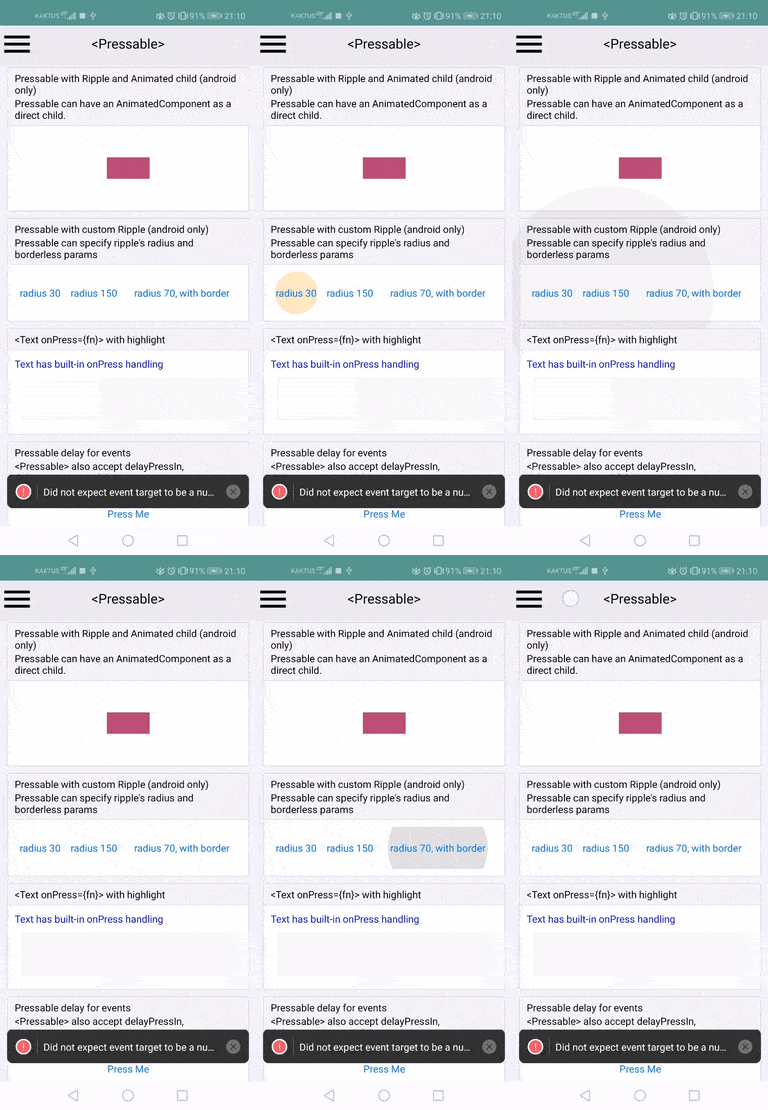
*Pressable* is a component which is intended to replace the Touchable* components such as *TouchableWithoutFeedback* and *TouchableOpacity*. The motivation is to make it easier to create custom visual touch feedback so that React Native apps are not easily identified by the “signature opacity fade” touch feedback.

We see this component as eventually deprecating all of the existing Touchable components.

Changelog:
[Added][General] New <Pressable> Component to make it easier to create touchable elements

Reviewed By: yungsters

Differential Revision: D19674480

fbshipit-source-id: 765d657f023caea459f02da25376e4d5a2efff8b
Summary:
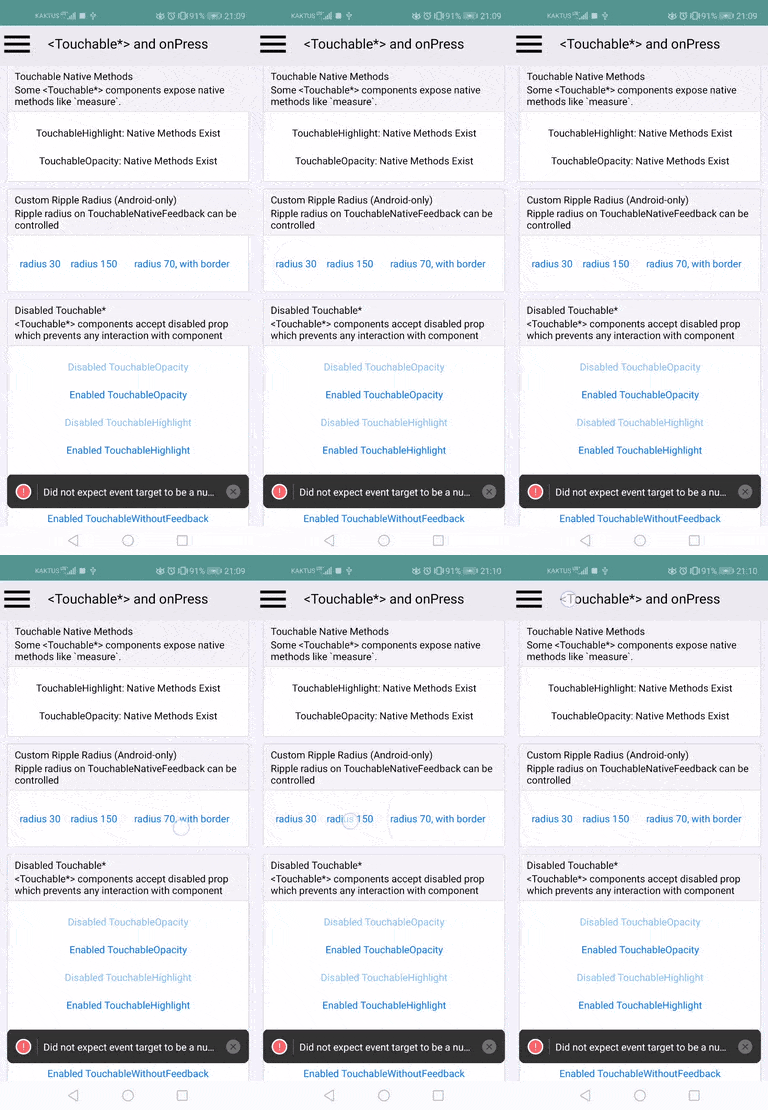
motivation: there are cases where one'd like to control the radius of the ripple effect that's present on TouchableNativeFeedback - in my case, I want to make sure that both icons and text have the same ripple appearance, but that's currently not possible as far as I can tell.
Currently (afaik) the only way to set (upper) ripple limits is by specifying width, height and border radius ( + `overflow: hidden`), and this works well for icons which can usually be bounded by a square, but not for text which can have rectangular shape.
This PR adds `rippleRadius` parameter to `SelectableBackground()`, `SelectableBackgroundBorderless()` and `Ripple()` static functions present on `TouchableNativeFeedback`. It can make the ripple smaller but also larger. The result looks like this:
added to RNTester:

difference from the other ripples:

I'm ofc open to changing the api if needed, but I'm not sure there's much space for manoeuvring. While I was at it, I did a slight refactor of the class into several smaller, more focused methods.
It's possible that in some cases, this might help to work around this issue https://github.com/facebook/react-native/issues/6480.
## Changelog
[Android] [Added] - allow setting custom ripple radius on TouchableNativeFeedback
Pull Request resolved: https://github.com/facebook/react-native/pull/28009
Test Plan: I tested this locally using RNTester
Reviewed By: TheSavior
Differential Revision: D20004509
Pulled By: mdvacca
fbshipit-source-id: 10de1754d54c17878f36a3859705c1188f15c2a2
Summary:
Make the script ready for picking in 0.62.0-rc.3.

* Rename the script to remove ambiguity. “autolinking” is a CLI feature where 3rd-party pods are automatically discovered: https://github.com/react-native-community/cli/blob/master/docs/autolinking.md
* Make the Flipper version of the pods configurable, as requested [here](https://github.com/facebook/react-native/pull/28044#discussion_r378662636).
* Make RNTester’s Podfile use the same form as the template–including enabling Flipper by moving the CPP define into the right place in the Xcode project and out of the Podfile.
* Get rid of Podfile.lock thrashing by making the default CDN spec source explicit.

## Changelog

[iOS] [Changed] - Disambiguate autolinking-ios.rb script from CLI’s “autolinking” feature and bring RNTester & template in line.
Pull Request resolved: https://github.com/facebook/react-native/pull/28077

Test Plan: RNTester builds, as does a new application.

Reviewed By: PeteTheHeat

Differential Revision: D19956392

Pulled By: TheSavior

fbshipit-source-id: 6c800ddb646b49fc45c088978e2794cd7b60ea48
Summary:
Migrates internal calls from ignoreWarnings to ignoreLogs so we can remove YellowBox.

Changelog: [Internal]

Reviewed By: TheSavior

Differential Revision: D19813781

fbshipit-source-id: 16c7b3f2cd38cba1901eccb4d5b9a2396a37ba1b
Summary:
This diff adds required Detox integrations to the RNTester app to be able to run Detox end-to-end tests on the Android version of the app.

* Instructions at https://github.com/wix/Detox/blob/master/docs/Introduction.Android.md were followed.
* The `minSdkVersion` version for the app was bumped to 18, as required by Detox.
* I also added build and test configurations in `package.json`
*  The debug app is able to run some of the existing tests, but the release app instacrashes. I do not know the reason for the instacrash at this time.
* CI integrations to build and test the Android app will be added in future diffs

Changelog:
[Internal] add Detox integrations to the RNTester Android app

Reviewed By: TheSavior

Differential Revision: D19566834

fbshipit-source-id: 5dd506bbdbb426a5db18146e5dc7c450a27b1d0c
Summary:
This adds support for `adjustsFontSizeToFit` and `minimumFontScale` on Android. The implementation tries to match closely the behaviour on iOS (hardcoded 4px min size for example). It uses a simpler linear algorithm for now, opened to improving it now if it is a deal breaker or in a follow up.

See https://twitter.com/janicduplessis/status/1171147709979516929 for a more detailed thread about the implementation

## Changelog

[Android] [Added] - Implement `adjustsFontSizeToFit` on Android
Pull Request resolved: https://github.com/facebook/react-native/pull/26389

Test Plan: Tested by adding the existing `adjustsFontSizeToFit` example from the iOS text page to android. Also added a case for limiting size by using `maxHeight` instead of `numberOfLines`.

Reviewed By: mdvacca

Differential Revision: D17285473

Pulled By: JoshuaGross

fbshipit-source-id: 43dbdb05e2d6418e9a390d11f921518bfa58e697
Summary:
This is no longer necessary with the new Flipper release.
Pull Request resolved: https://github.com/facebook/react-native/pull/27964

Test Plan:
This was a built-time problem so the CI jobs would catch this.

## Changelog

[Android] [Removed] - pickFirst options for RNTester and template

Differential Revision: D19815829

Pulled By: passy

fbshipit-source-id: d8f66e64e7e922b8ea18ad6eeec3a1c8e6bc77fa
Summary:
RNTester ended up using JSC for both jscDebug and hermesDebug. Now it uses the
correct one. It still includes all executors, but it's a step in the right
direction.

ChangeLog: [General] [Fixed] RNTester now uses the VM specified in the build flavor

Reviewed By: passy

Differential Revision: D19752239

fbshipit-source-id: 0db4e5201fc80c2a0b91531e3f4333148c1d9c7c
Summary:
**Resolve/Reject Promise**
* Add onFulfill and onReject to the `PushNotificationIOS.requestPermissions()` Promise

**Replace Apple-deprecated notification method**
* Old: In iOS 10, `UIApplication.registerUserNotificationSettings` was deprecated. Calling this would then call the AppDelegate's lifecycle function `didRegisterUserNotificationSettings`, and then in the AppDelegate, we'd call `RCTPushNotificationManager.didRegisterUserNotificationSettings` to return the user settings.
[registerusernotificationsettings Doc](https://developer.apple.com/documentation/uikit/uiapplication/1622932-registerusernotificationsettings?language=objc)

* New: Replace deprecated function with Apple's recommended `UNUserNotificationCenter.currentNotificationCenter getNotificationSettingsWithCompletionHandler`, which no longer needs the AppDelegate lifecycle method because it directly returns the user's settings in a completion hander.
[requestauthorizationwithoptions Doc](https://developer.apple.com/documentation/usernotifications/unusernotificationcenter/1649527-requestauthorizationwithoptions?language=objc)

**Add Tests**
* Add tests on `PushNotificationIOSExample.js` to test that the onFulfill and onReject are called
* On `PushNotificationIOSExample.js`, instead of asking permission upon page load, ask for permission when the user taps the button "Request Notifications (Should Display Alert)".
* Before, asking for permission multiple times before would result in the RN error "cannot call requestPermissions twice before the first has returned", now you can ask for permission as many times as you want because I've removed the now unused `RCTPromiseResolveBlock`.

**Future**
If this works on device (we have to land this to test push on device), we can delete `RTCPushNotificationManager.didRegisterUserNotificationSettings` which is being called from several apps.

Changelog:
[iOS] [Added]  Resolve and reject promise for PushNotificationIOS.requestPermissions

Reviewed By: PeteTheHeat

Differential Revision: D19700061

fbshipit-source-id: 02ba815787efc9047f33ffcdfafe962b134afe6d
 Devon Deonarine
 Eloy Durán
 Michel Weststrate
 Samuel Susla
 Hein Rutjes
 jeswinsimon
 Paige Sun
 sunnylqm
 Tom Underhill
 Will Holen
 grabbou
 Marshall Roch
 Ramanpreet Nara
 Vojtech Novak
 Héctor Ramos
 Pavlos Vinieratos
 Ventsislav Dimitrov
 Michael Bolin
 Jesse Katsumata
 Pascal Hartig
 Alec Larson
 Logan Daniels
 radex
radex
 Hans Halverson
 Rachel Nabors
 Pieter De Baets
 Eli White
 Rick Hanlon
 Pritesh Nandgaonkar
 Jason Safaiyeh
 Chad Smith
 Janic Duplessis